Change color of image: click it, pick a new color
Change color of image online for free: click a shirt, car or any color in your photo, pick a new one, and the light and shade stay. Your photo is never uploaded.
Free, no sign-up, no watermark.
Try one of these
Examples
Change color of image examples, before and after
Each caption names the editor: AI examples were made in the Saybrush AI editor with the words shown, from one try each; free ones in the editor above, with the settings shown. Hover or tap to see the original.
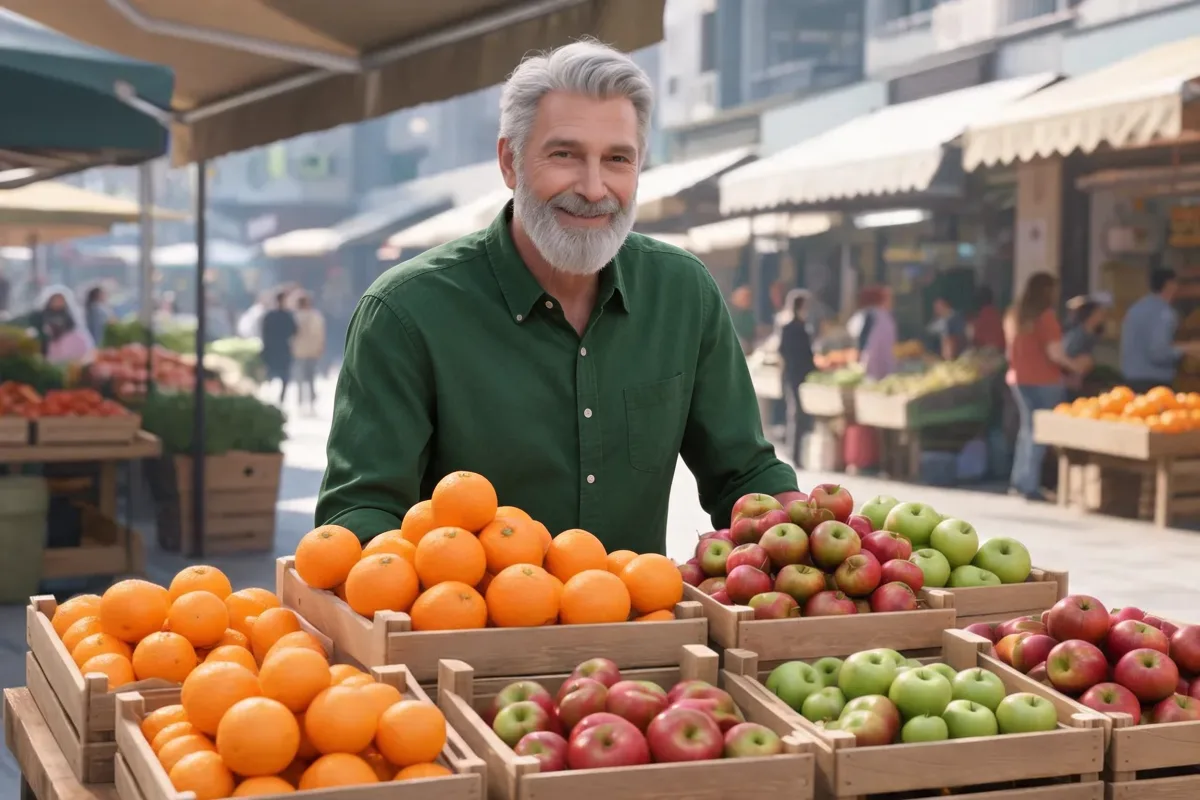
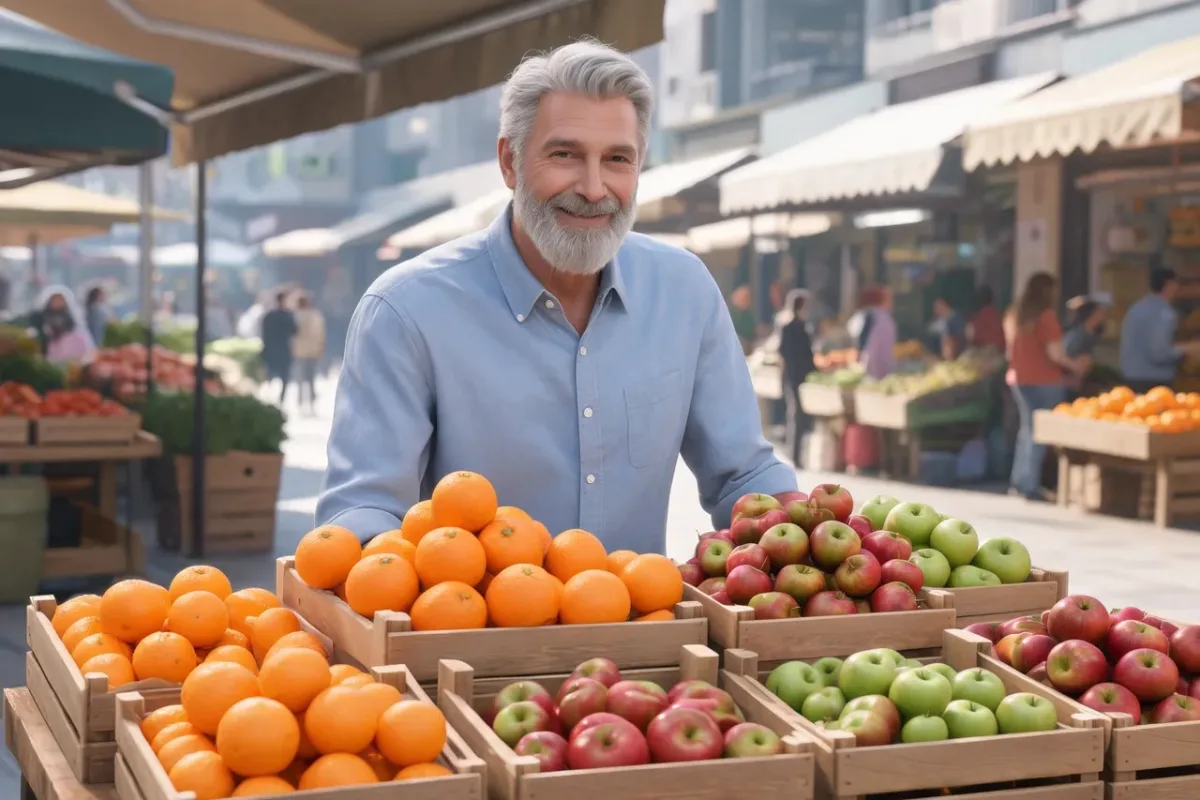
AI editor · “Change his shirt to forest green”Shirt2496 × 1664 

AI editor · “Change the chef jacket to burgundy”White chef jacket1776 × 2368 

AI editor · “Change his suit jacket to camel”Dark suit jacket1776 × 2368
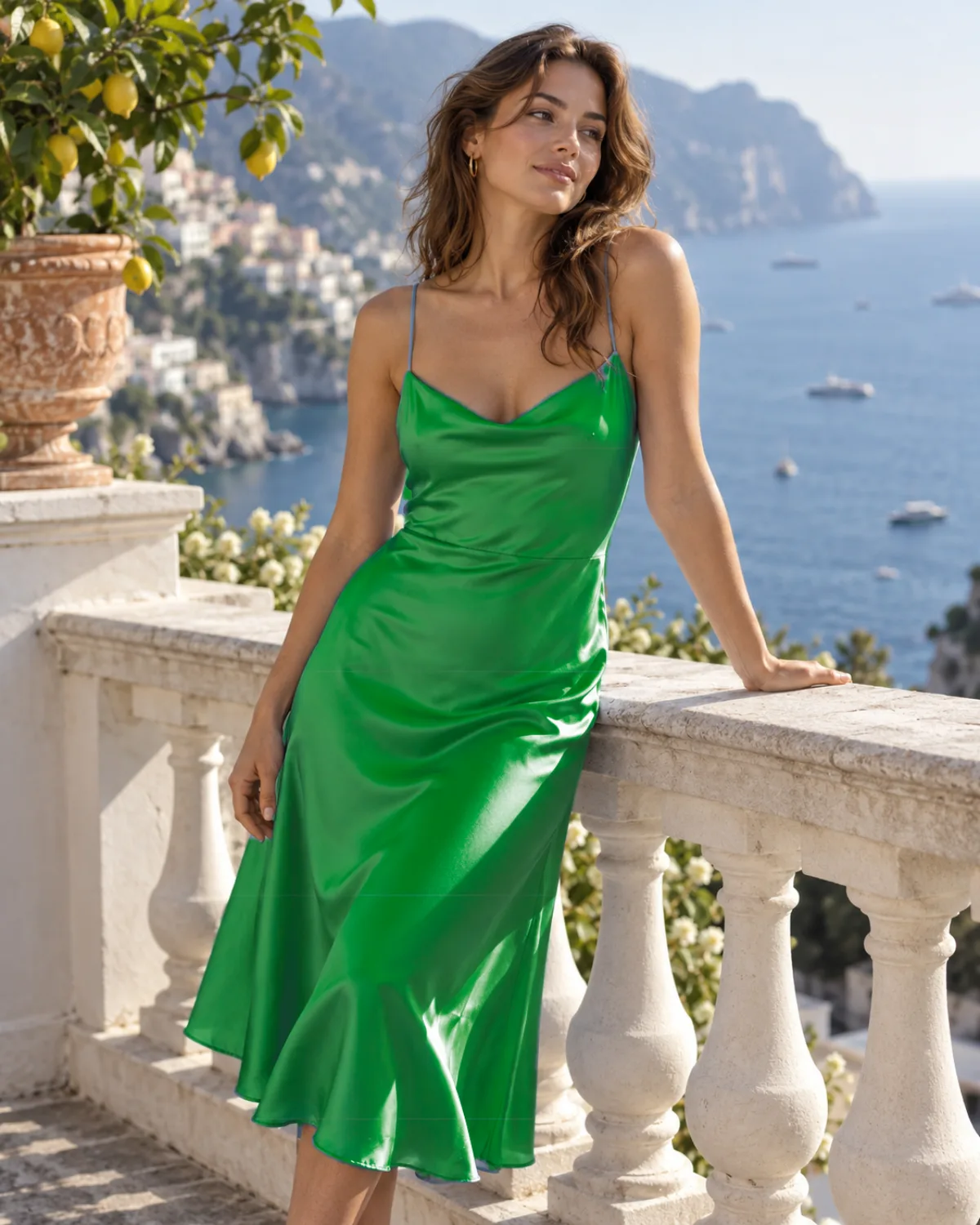
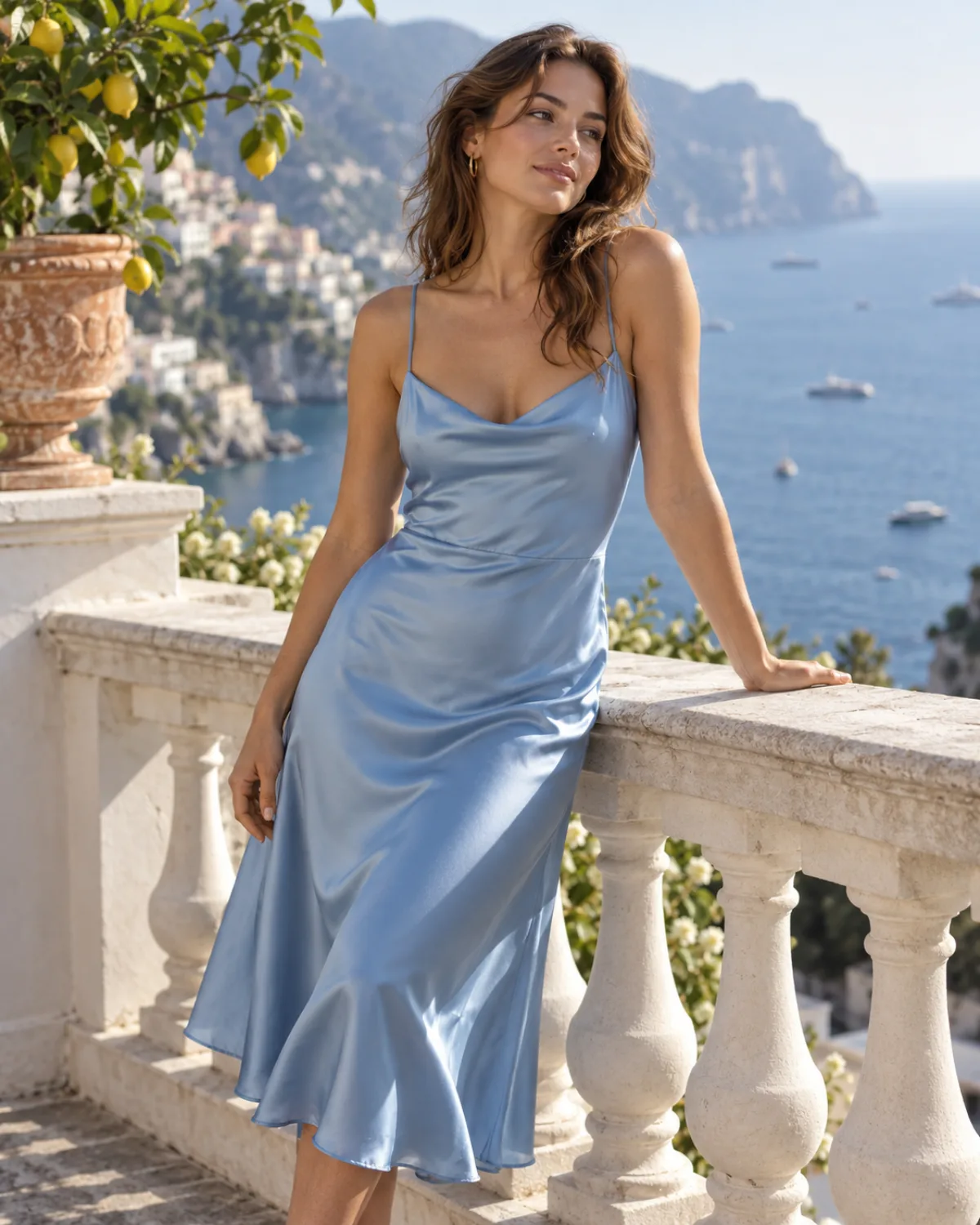
Free editor · The object you click · GreenSatin dress1122 × 1402 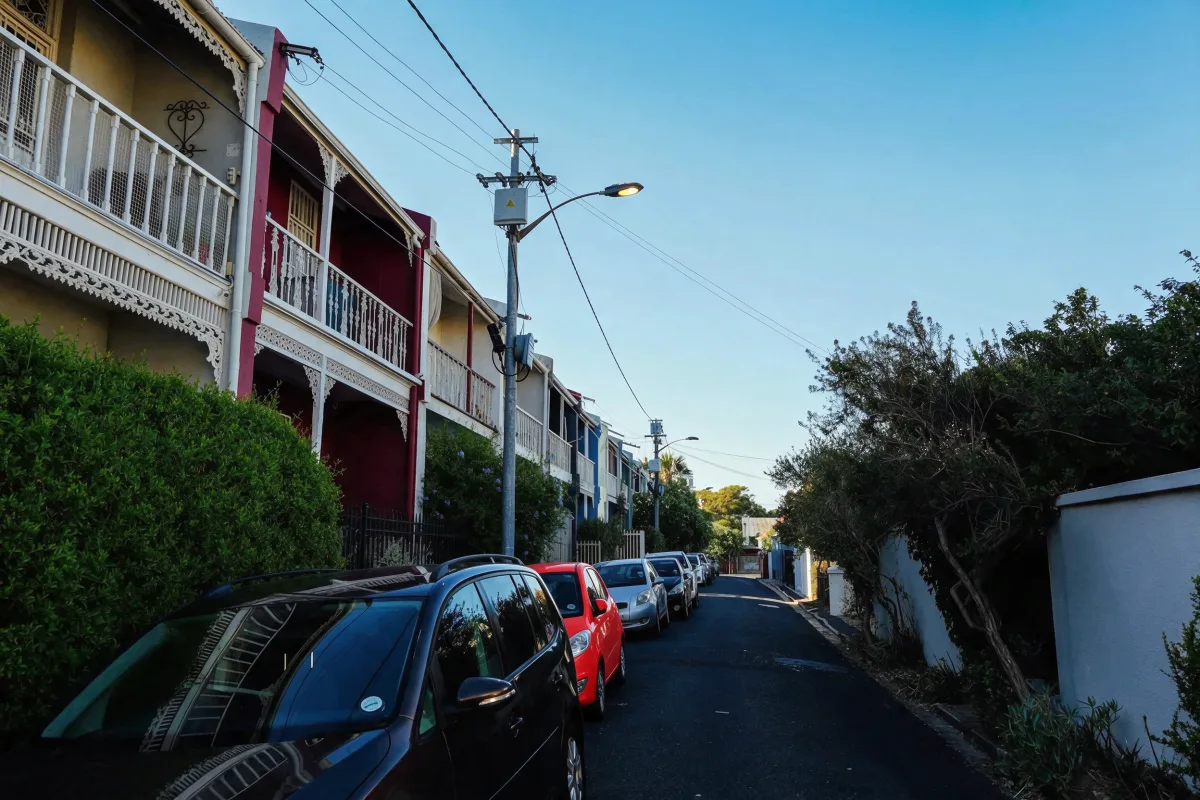
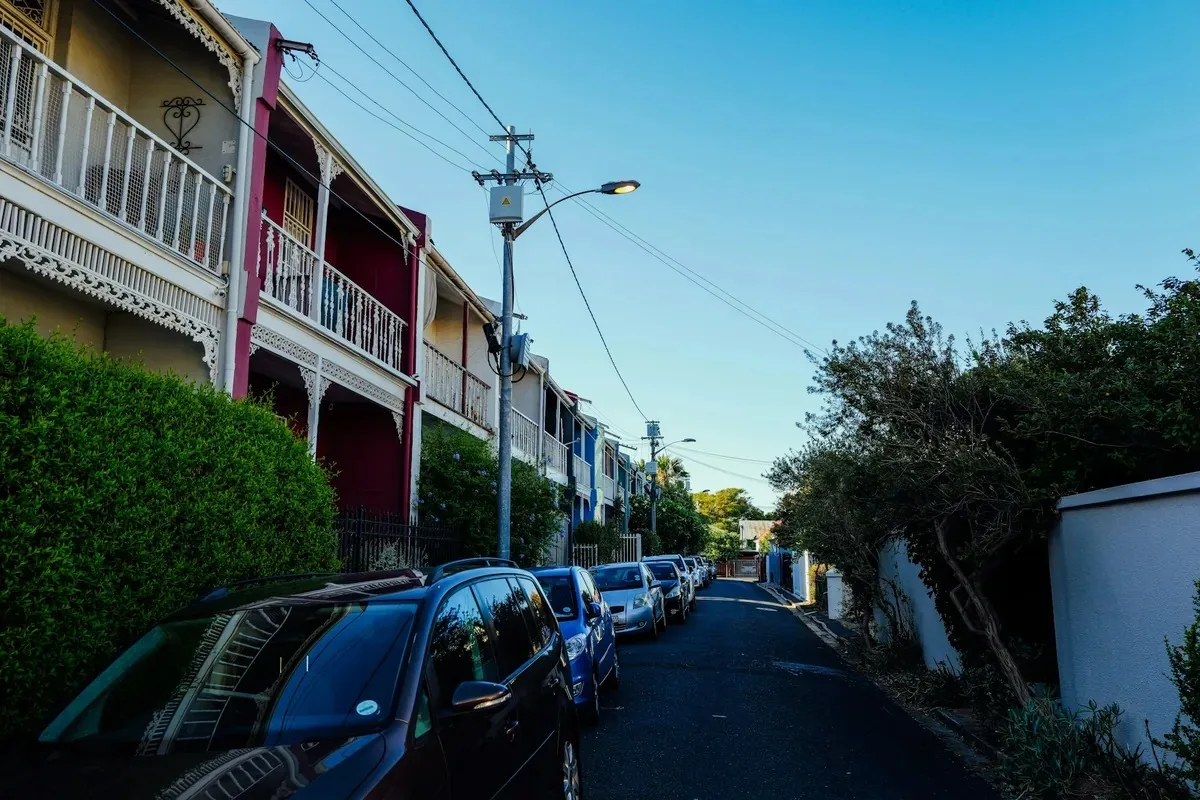
AI editor · circled · “Change the circled car to #DC2626 red”One car in a row2496 × 1664 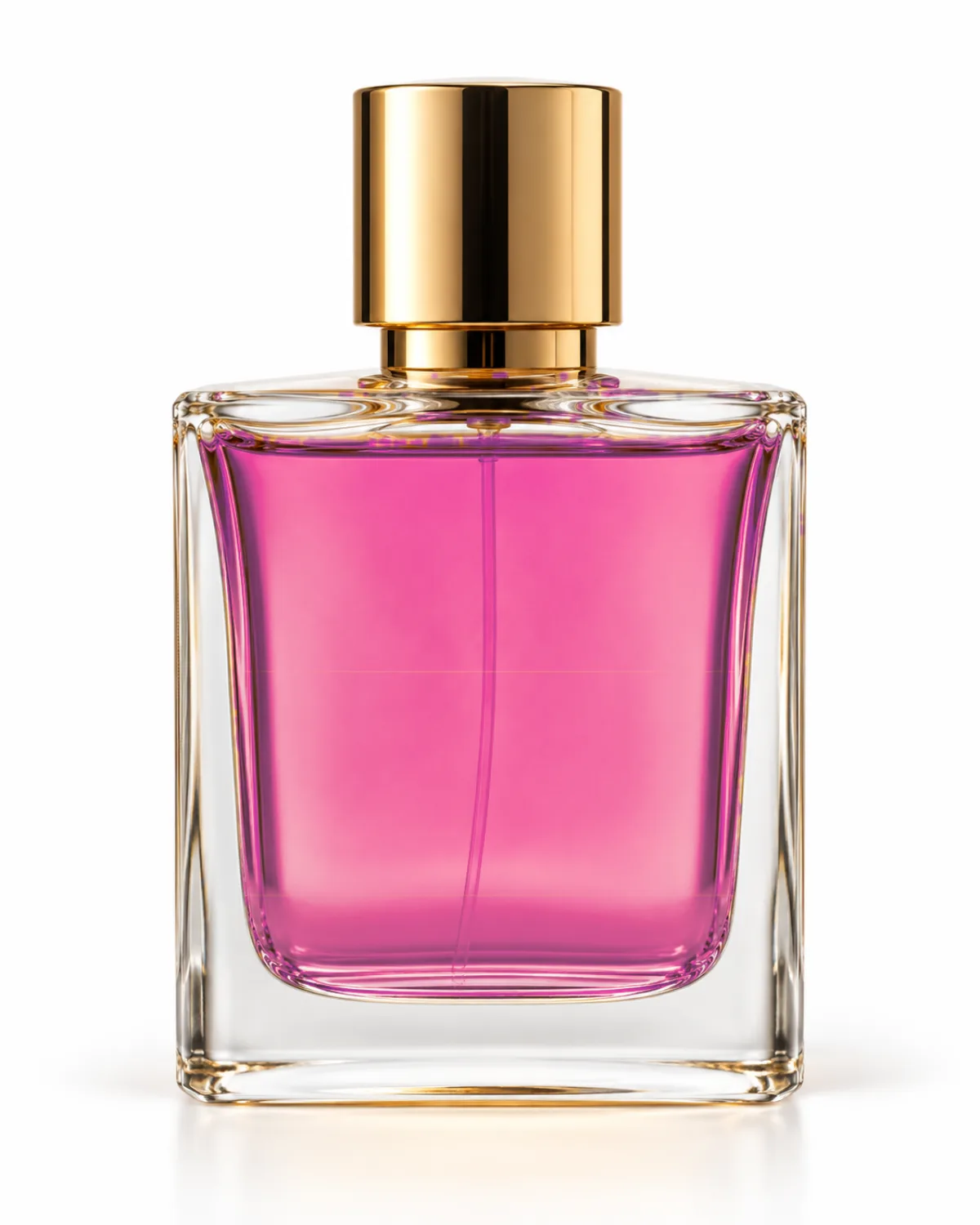
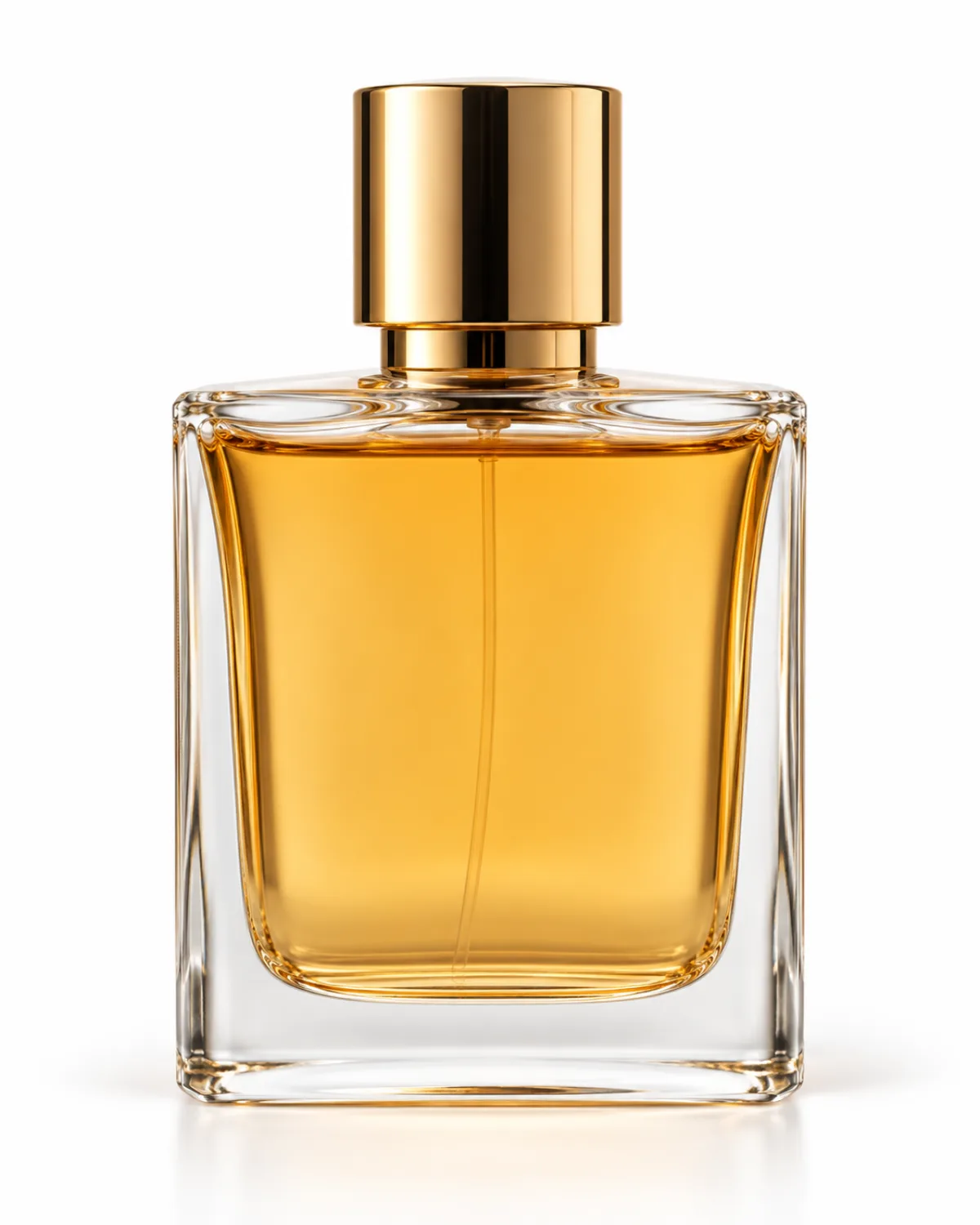
Free editor · The object you click · PinkPerfume in the bottle1122 × 1402
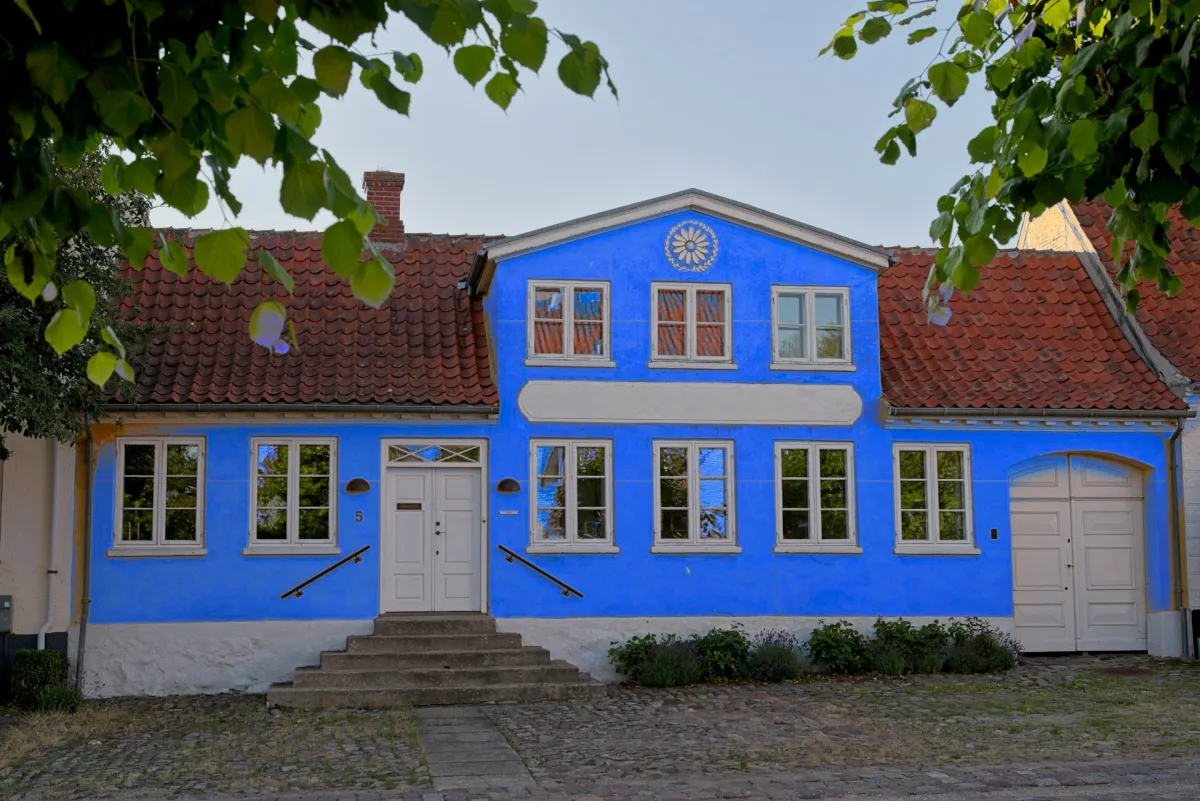
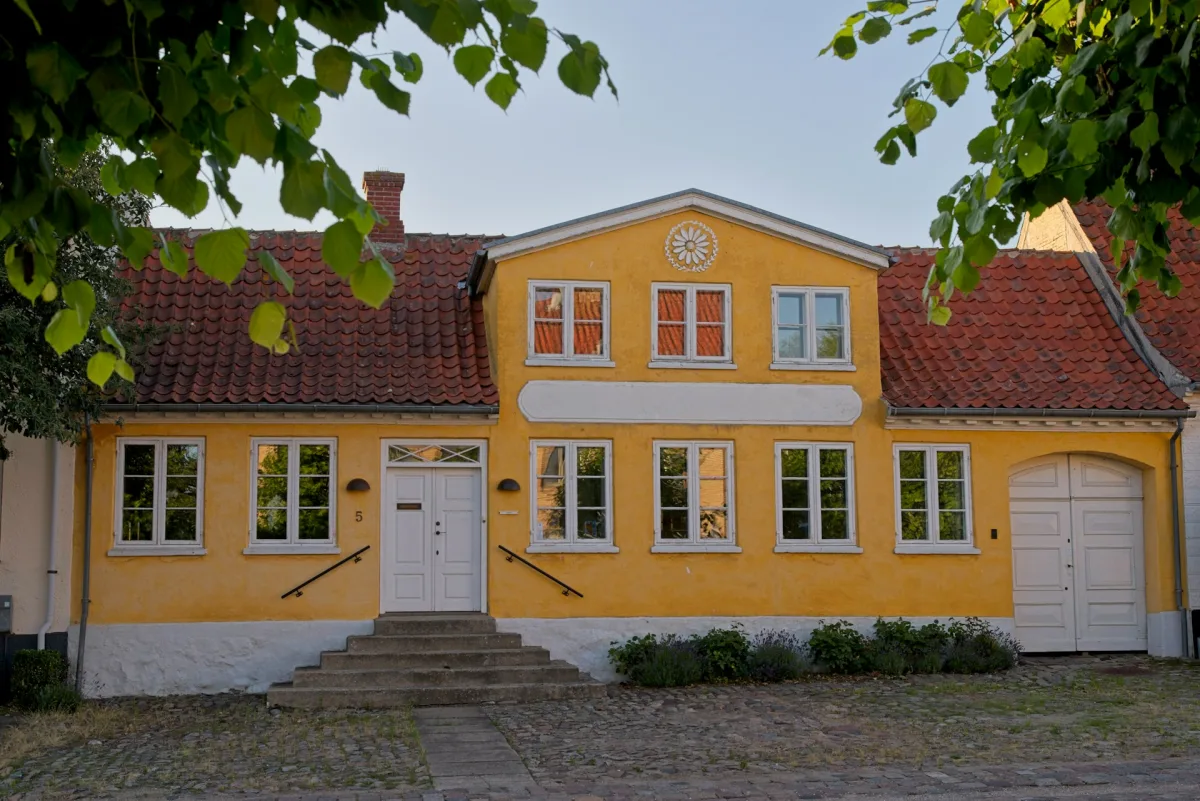
Free editor · Everywhere in the photo · BlueHouse wall1920 × 1281 

Free editor · Everywhere in the photo · #6D28D9Logo color1600 × 900
Use cases
What people recolor
Clothes and hair
See a shirt, dress or jacket in another color before you buy or dye it, or try a new hair color on your own photo.
Cars and bikes
Preview a car in a new paint or wrap color, with the reflections still on the body.
Product color options
Turn one product shot into red, navy and green versions for a store listing, instead of shooting each one.
Rooms, walls and furniture
Try a wall paint, sofa or cabinet color on a photo of the real room.
Logos and graphics
Swap a logo or icon to your brand HEX code. A PNG keeps its transparent background.
Quick facts
Image color changer: the facts
| What it is | A free image color changer that runs in your browser: change color of image parts by clicking an object or a color and picking a new one. |
|---|---|
| Your image | Never uploaded. Selecting and recoloring run on your device. |
| Price | Free, with no sign-up, no credits and no watermark. |
| What changes | The object you click, just the patch of color you clicked, or every similar color in the photo. |
| New color | 12 swatches, a color picker, or any HEX code. |
| Light and shade | Kept by default, so folds and highlights stay. Turn it off for a flat fill. |
| Files it opens | JPG, PNG or WebP, up to 50 MB. |
| What you download | PNG, JPG or WebP at the original size, up to 8,000 pixels on the long side and 40 megapixels (16.7 on iPhone and iPad). |
| Object selection | Runs in browsers with WebGPU. The first time, it downloads about 33 MB, then it’s cached in the browser. |
| AI recolor | In the Saybrush AI editor: describe the change, 2 credits per edit, about 20 seconds. |
How it works
How to change the color of an image
- 01
Add your image
Click, drop or paste a JPG, PNG or WebP, or try a sample.
- 02
Click what to recolor
Click the shirt, car or wall. It is selected as a whole; use Smaller or Bigger if the outline is off.
- 03
Choose the new color
Tap a swatch, open the picker or type a HEX code. Change color again on the next thing as often as you like, then download at full size.
Controls
Change color of image areas four ways
Click an object
One click selects the whole shirt, jacket or car, even where shadows make its color uneven.
One patch or everywhere
Change just the area of color you clicked, or replace color in image areas everywhere at once, like every red in a chart.
Tolerance and smooth edges
Tolerance decides how many shades of the color change; Smooth edges softens the border so no hard line shows.
Describe it to the AI
Write “make the dress navy” in the AI editor, or circle the one car you mean. Only that changes.
Two ways
Click to recolor or describe it: which to use
Click and pick (this page)
The free way to change color: instant, and your image stays on your device. Best when the thing you want has clear edges and a color of its own. For a big wall or background, “Everywhere in the photo” often covers it better than a click.
Describe it (AI editor)
Best when the color touches something similar, like a blue shirt against a blue sky, or when one of several like objects should change. Uses credits.
White and black things
White and black have no hue to shift, so a swap here can look gray or flat. The AI editor recolors them naturally; a white chef jacket to burgundy is on this page.
Which tool
Online, in Photoshop or Canva?
An online image color changer
e.g. Saybrush
Open the page, click what to recolor, pick a color, download. Nothing to install.
- Best when You want a quick, natural recolor of one or two things, on any computer or phone.
- Not ideal when You need layers, masks drawn by hand, or a batch of files.
A full photo editor
e.g. Photoshop, GIMP, Photopea
Select the area, then use Hue/Saturation or Replace Color, and refine the mask.
- Best when You know the software and need pixel-exact control.
- Not ideal when You just want to see the sofa in green.
A design app
e.g. Canva
Recolor shapes and elements; photos get filters and adjustments.
- Best when The thing to recolor is a graphic you made in that app.
- Not ideal when You want one object in a real photo changed.
Is it right for you?
Who it’s for
Best for
- Trying colors on clothes, cars, rooms and products from a real photo.
- Recoloring a logo or graphic to a brand HEX code.
- Anyone who wants a picture color changer that doesn’t upload their photos.
Know before you start
- “Everywhere in the photo” changes every similar color, not one object. Click the object instead.
- Object selection needs a browser with WebGPU. Without it, you click a patch of color instead.
- A color swap keeps the texture; it can’t make a white item a deep color. Use the AI editor for that.
- One photo at a time, and edits live in this tab. Download before you close it.
FAQ
Questions
How can I change the color of a photo online?
To change color of image files online, add one at the top of this page, click the thing to recolor and choose the new color. Download a PNG, JPG or WebP.
How do I swap just one color in an image for a different one online?
Click that color, set Change to “Everywhere in the photo” and pick the new one. Every similar shade changes, so use “The object you click” if you want only one thing.
How can I change the color of my shirt in a photo without it looking fake?
Click the shirt and leave Keep light and shade on, so the folds and shadows stay. For white or black shirts, describe the change in the AI editor.
Can I change color of image online free, with no sign-up?
Yes. Recoloring and downloading on this page are free, with no account, no credits and no watermark.
Is my photo uploaded?
No. The photo opens in your browser and every change is computed on your device. Only the AI editor sends the photo to our server.
Can I change multiple colors in one image?
Yes. After the first change, click Change another color and pick the next one. Undo and redo work across all of them.
Can I use an exact HEX code for my brand color?
Yes. Type it in the HEX box, like #1E3A8A. With light and shade kept, shadows on the object stay darker than the code.
How do I change the color of an object in an image without touching the rest?
Use “The object you click”, which is on by default. Only the selected object changes; Smaller and Bigger adjust the outline.
Can I change colour of image backgrounds too?
If the background is one color, click it and pick a new one. To replace the background with something else, use the AI image editor.
Does it work on photos, not just graphics?
Yes. This image color changer was built for photos: the object selection follows real edges, and keeping light and shade is what makes the result look real.
Will the quality drop?
Only the recolored area changes, and the image saves at its original size. PNG is lossless.
Can I use it on my phone?
Yes. Open this page in your phone’s browser, pick a photo and tap what to recolor. The result saves to your phone.
Related tools


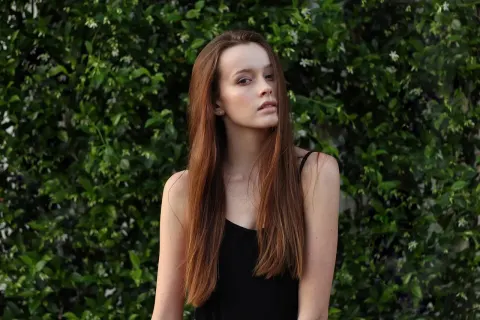
Change color of image files in seconds
Add an image, click what to recolor and download it at full size.
JPG, PNG or WebP up to 50 MB.