Food photo editor: menu-ready photos of your real dishes
Saybrush is an AI food photo editor for restaurants: upload a phone photo of a dish and get clean light, true color and a tidy background, with the food left as it is.
No photo handy? Try one of these
Examples
Food photo editor examples: before and after
Phone photos of restaurant dishes from Wikimedia Commons (CC0), one run each: the burger on Nano Banana Pro, the rest on Seedream 5.0 Pro. Hover or tap to see the original.
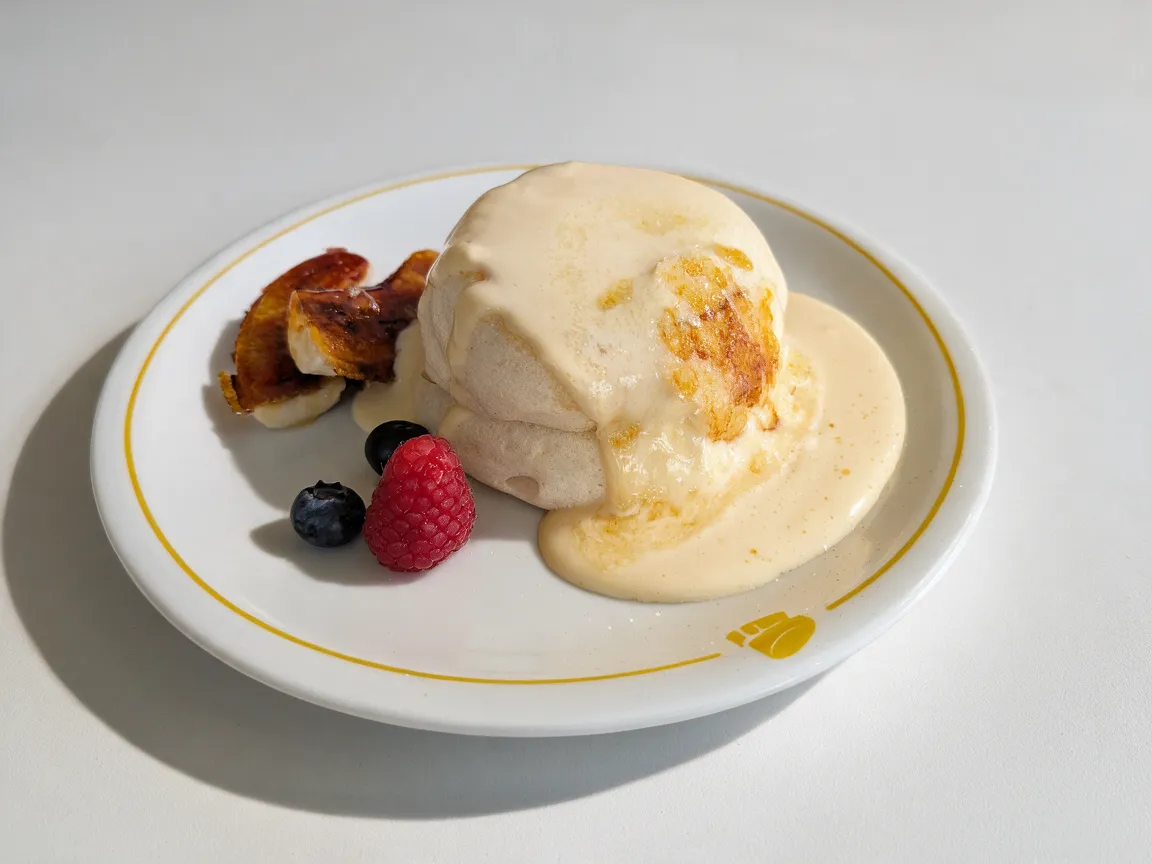
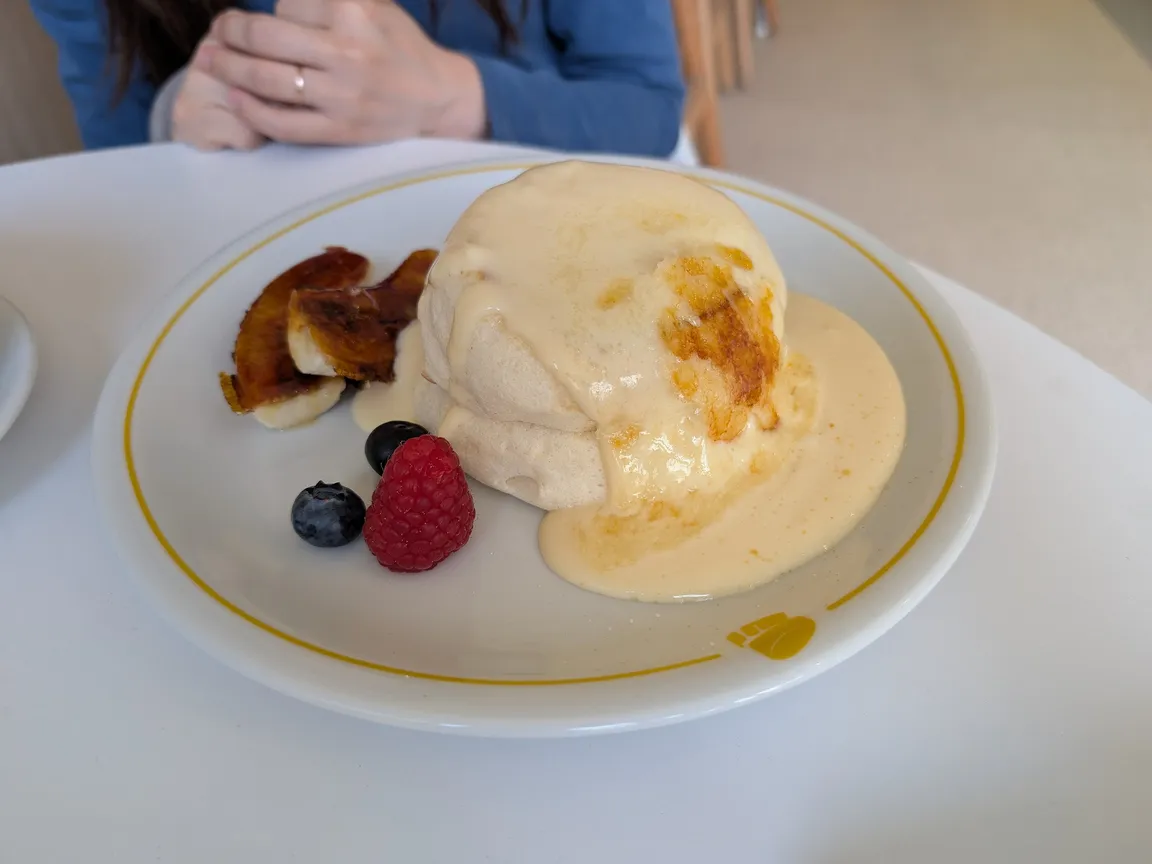
DaylightSoufflé pancakes1152 × 864 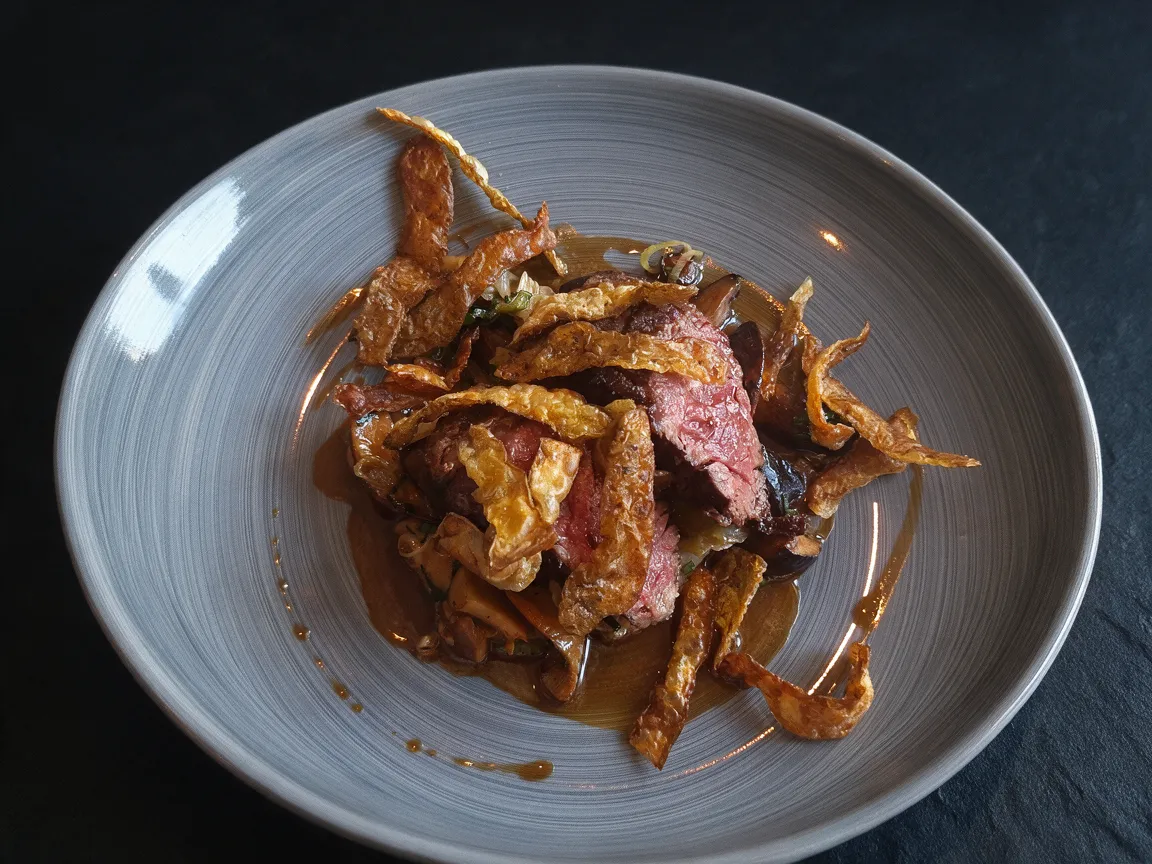
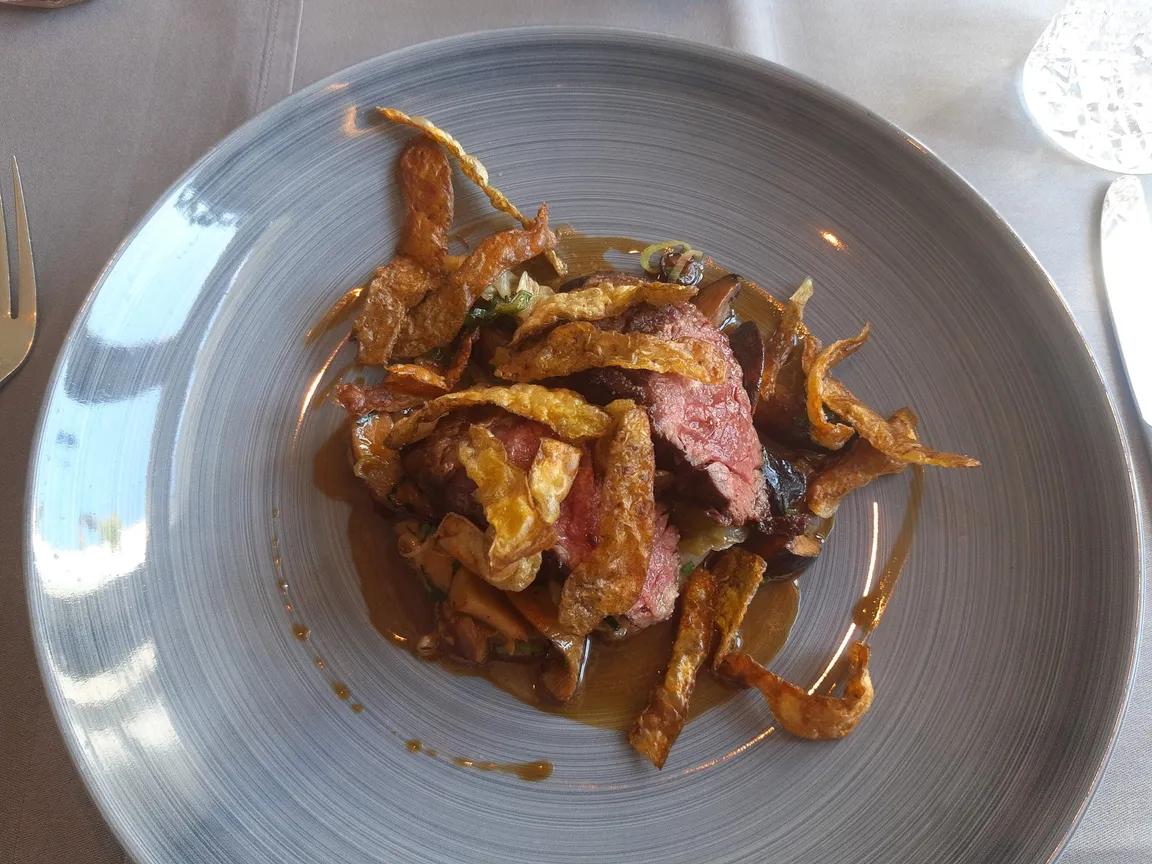
Dark slateSteak with crisps1152 × 864 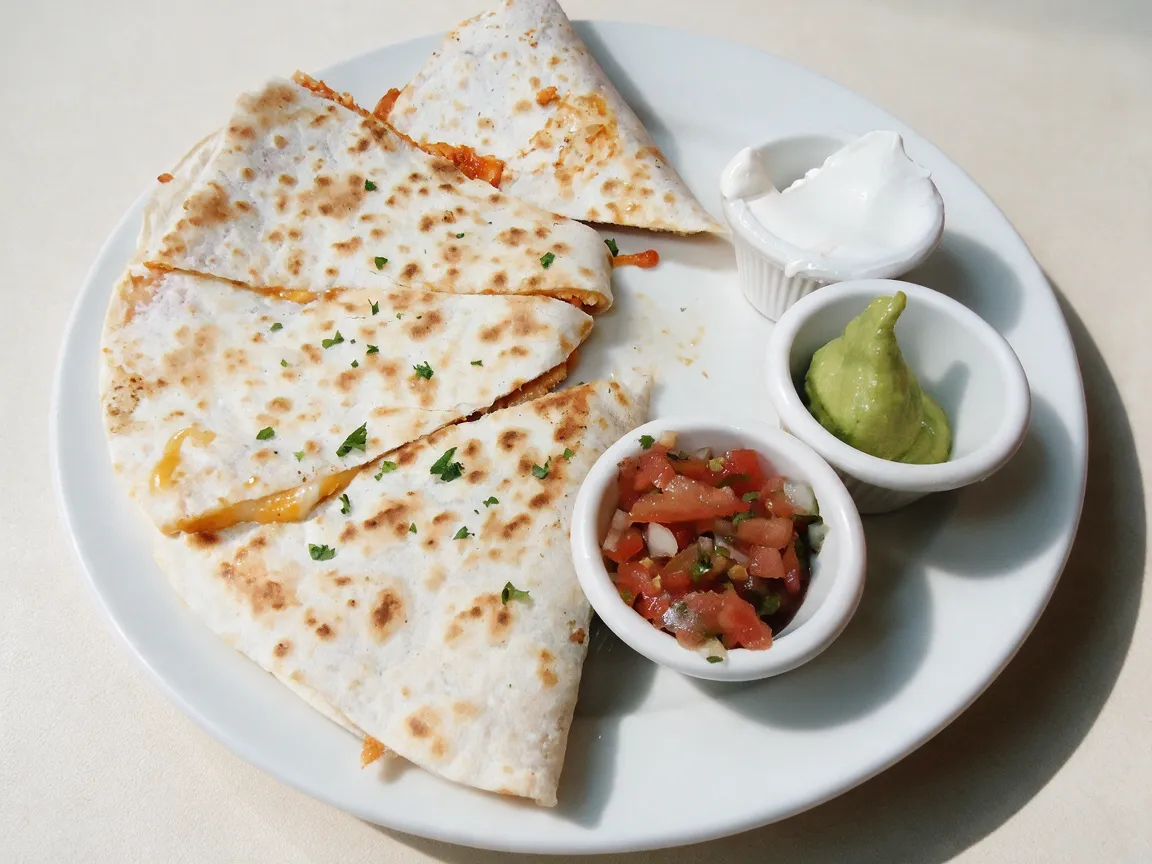
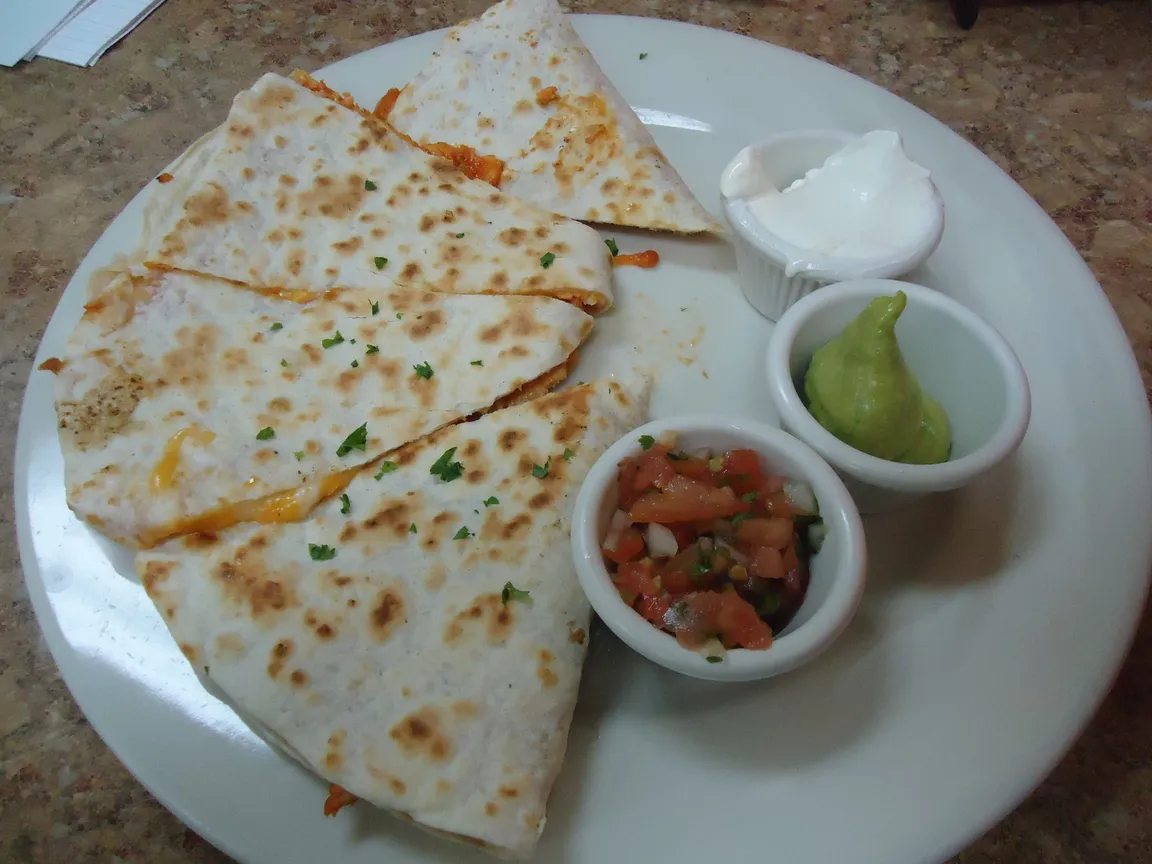
DaylightChicken quesadilla1152 × 864 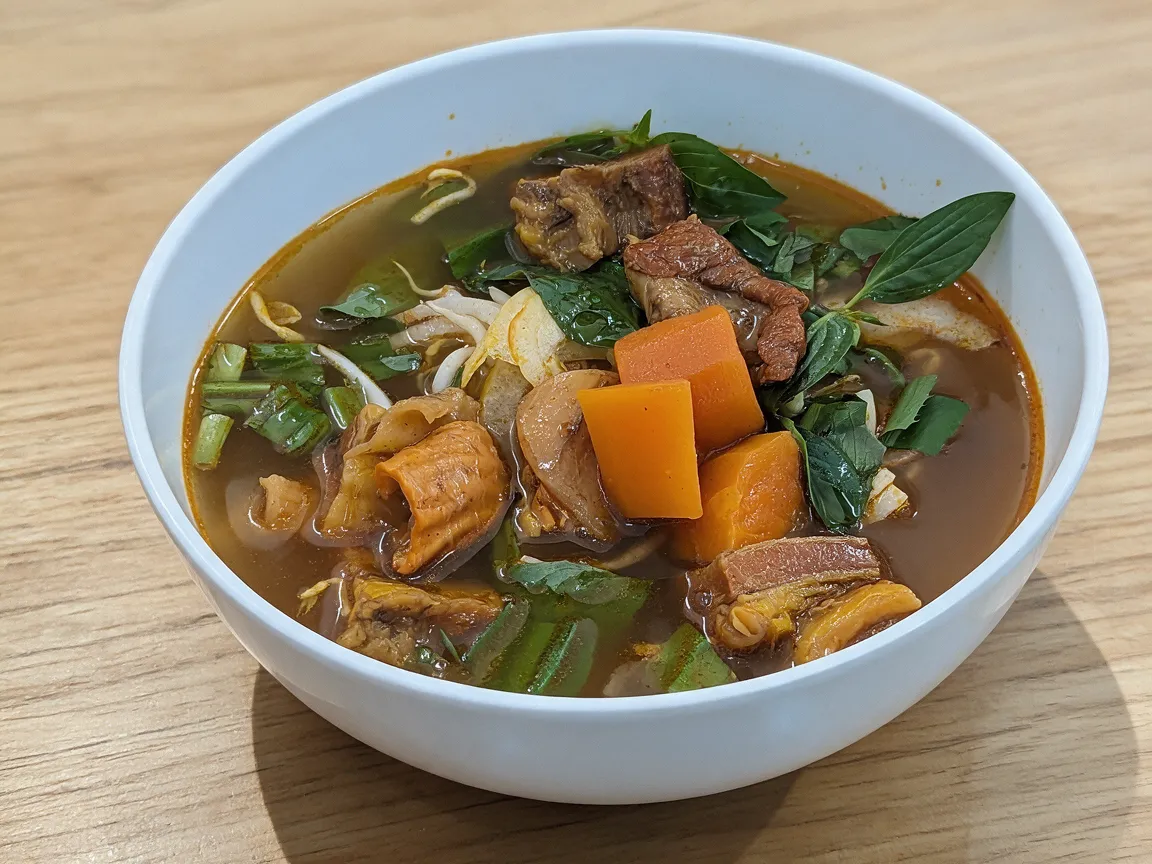
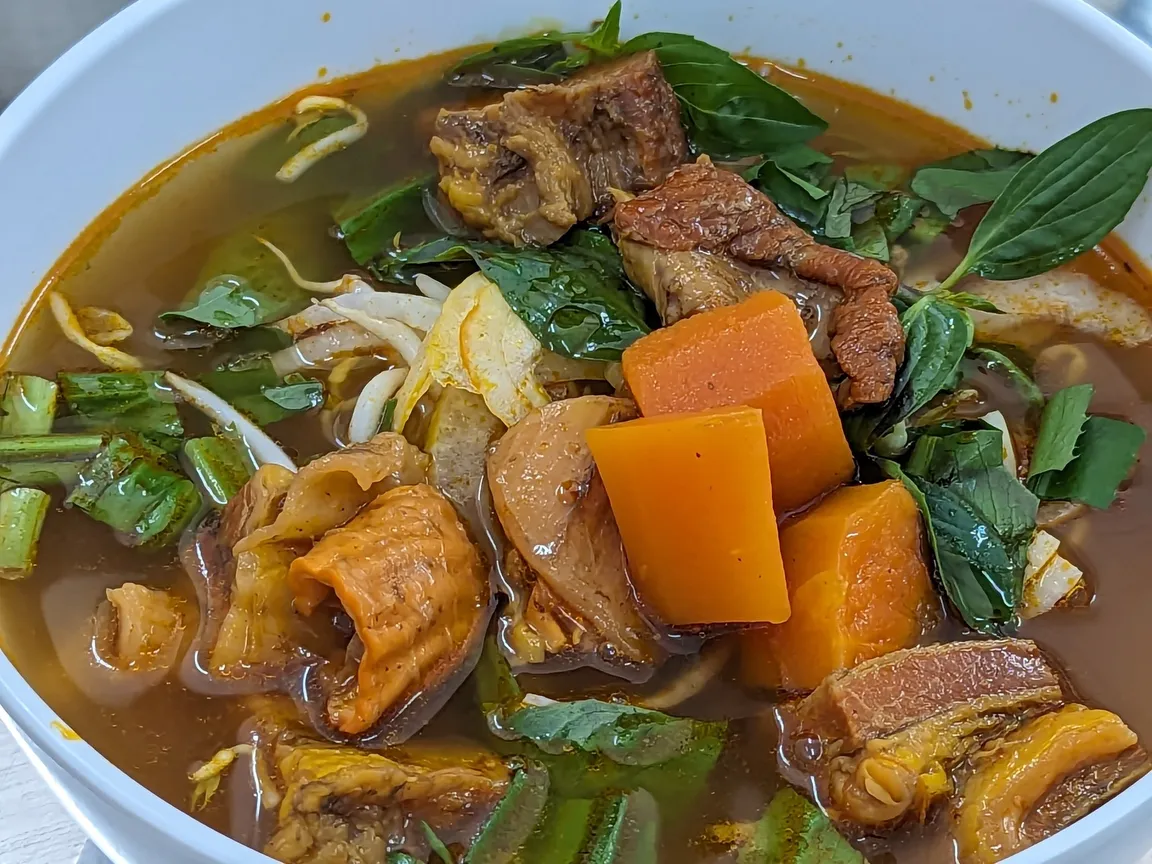
Light woodBeef noodle soup1152 × 864 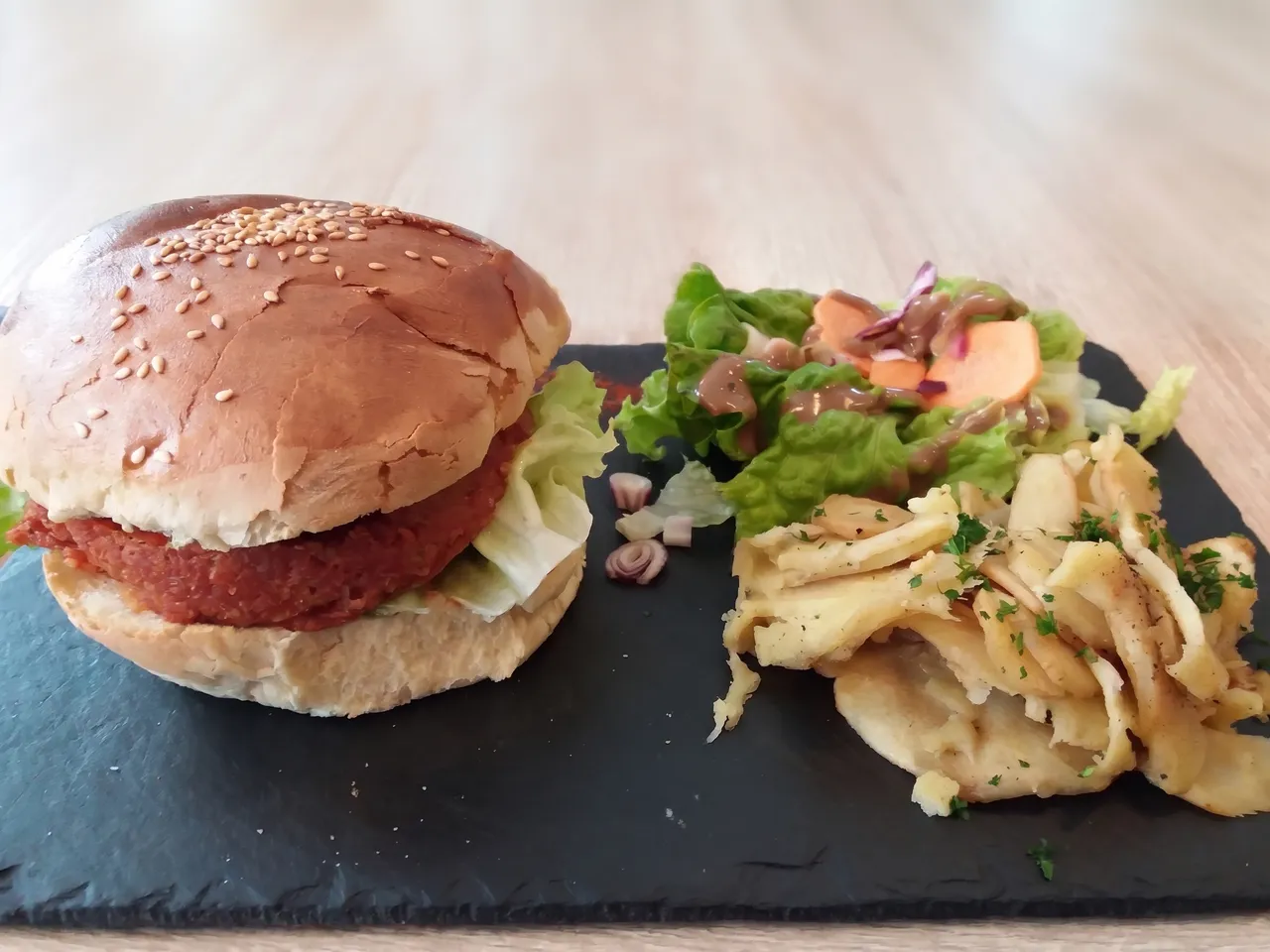
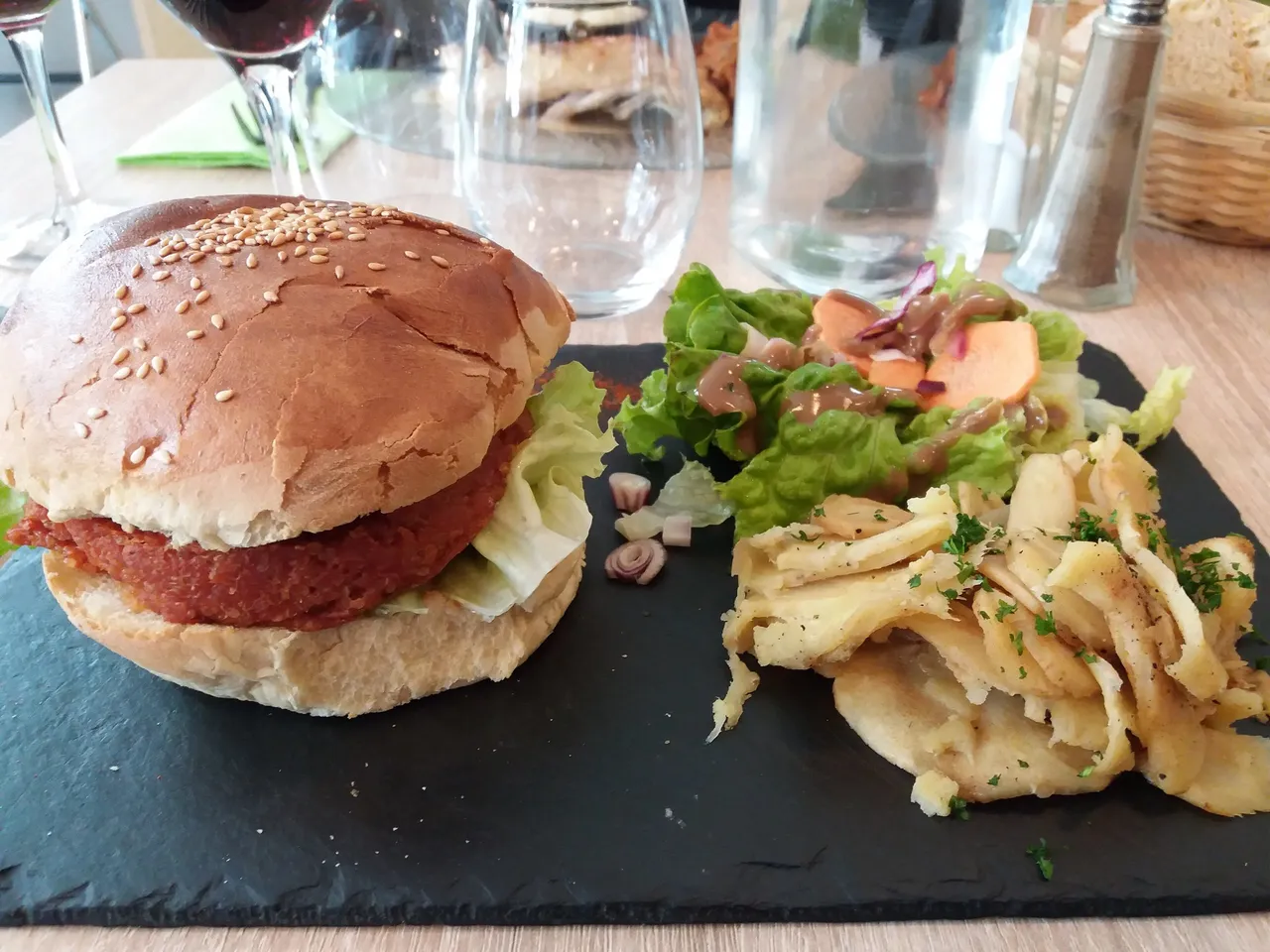
DaylightVeggie burger2390 × 1792
Use cases
AI menu photos for delivery apps, menus and social posts
Delivery app listings
Photos for Uber Eats, DoorDash or Grubhub, shot at the pass during service, cleaned up so the dish is what people see.
A new menu or website
Give every dish the same table and light, so the menu looks like one shoot instead of a year of phone photos.
Specials and social posts
Today’s special, photographed in a dim dining room, ready to post before lunch.
A whole menu at once
On a paid plan, upload up to 5 dishes in one go and enhance them all with the same style and model.
Quick facts
Food photo editor: the facts
| What it is | An AI food photo enhancer: a model relights your dish photo and replaces the background, instead of you editing it by hand. |
|---|---|
| What it changes | Light, color cast and the background around the plate. You can ask for more in your own words. |
| What it keeps | The dish: ingredients, portion, plating and sauce stay where they were. |
| Styles | Daylight, Clean white, Dark slate and Light wood. |
| What it takes | A photo of the dish from your phone or camera: JPG, PNG or WebP up to 20 MB. |
| Models | Seedream 5.0 Pro by ByteDance (1 credit) or Nano Banana Pro by Google (3 credits, 2K output). |
| Several photos | Up to 5 at once on a paid plan; one at a time on free credits. |
| Free use | 2 credits without an account and 3 more when you sign in with Google. No watermark. Free downloads are 768 px on the long side; paid plans download the full size. |
| Your photos | Free photos and results are deleted after 14 days. On a paid plan they stay until you delete them. |
How it works
How to use the food photo editor
- 01
Upload the dish
A phone photo is fine. Leave some table around the plate: the tips below say why.
- 02
Pick a style
Daylight runs unless you pick Clean white, Dark slate or Light wood. Then run it.
- 03
Compare and download
Drag the divider to check the dish. Want more? Describe it and run it on the result.
What it fixes
A food photo enhancer that keeps the dish as it is
Dark, flat light
A quesadilla shot under a dim indoor light came back in soft daylight, every char mark and herb where it was.
Yellow and green casts
Restaurant bulbs turn white plates yellow. The styles bring them back to neutral white without oversaturating the food.
Messy backgrounds
Glasses, bottles, a salt shaker or a diner’s hands behind the plate are replaced with a clean table and a soft shadow beneath it.
One look for the whole menu
The same style gives different dishes the same table, light direction and tone, as in our soup and steak tests on Dark slate and Light wood.
Before you shoot
Tips for a better food photo from your phone
Leave room around the plate
Show the whole plate or bowl with some table around it. On a tight close-up the model has to draw the missing rim itself.
Pick the angle for the dish
Overhead for pizza and flat plates, about 45° for bowls and most mains, eye level for burgers and tall stacks.
Turn the flash off
Flash flattens food and leaves glare on sauces. Any steady light is fine: the editor fixes the color.
Delivery apps
Uber Eats photo requirements
What Uber Eats asks for in item photos, from its merchant photo guidelines (checked October 2026):
| Shape | Landscape, between 5:4 and 3:2 |
|---|---|
| Size | At least 550 × 440 px, at most 10,000 px a side |
| File | JPG, PNG or GIF up to 10 MB |
| Content | One item, centered, no text, logos or watermarks |
On Seedream 5.0 Pro a 4:3 photo comes back at 4:3, inside that range, and the styles add no text. A square photo is outside the range, so crop it to 4:3 first.
Which way
AI food photo editor, editing app or a food photographer?
AI food photo editor
e.g. Saybrush
A food photo enhancer relights the photo and replaces the background.
- Best when You have phone photos of real dishes and want them consistent without a shoot.
- Not ideal when The dish isn’t cooked yet: there is no photo to start from.
A photo editing app
e.g. Lightroom, Snapseed
You move exposure, white balance and saturation sliders yourself.
- Best when The photo is already well shot and only needs small fixes.
- Not ideal when The background is the problem: sliders can’t replace a cluttered table.
A food photographer
e.g. a local food photographer
A person styles, lights and shoots each dish.
- Best when You are launching a brand or a printed menu.
- Not ideal when The menu changes often, or you need photos today.
Is it right for you?
Who it’s for
Best for
- Restaurants, cafés, food trucks and ghost kitchens with phone photos of their dishes.
- Menus that need one look across many dishes.
Know before you start
- Check each result against the dish you serve before you publish it: delivery apps ask that photos show the real item.
- Every upload, sentence and result passes automated moderation, which can block a harmless photo by mistake. A failed or blocked edit returns your credits.
FAQ
Questions
How can I make my phone photos of dishes look professional without making the food look fake?
Fix the light, the color and the background, and leave the dish alone. Every style here relights the photo and swaps the table while keeping the ingredients, portion and plating.
How can I make my food photos look more appealing on delivery apps?
Use one clean, centered dish per photo, soft light and an uncluttered background, and keep the same style across your menu. Then check the app’s own rules; the Uber Eats ones are above.
How do I make all my menu photos look consistent?
Run every dish with the same style and the same model. On a paid plan you can upload up to 5 at once so they share one run.
Can I remove the messy background behind my plates?
Yes. Every style replaces the background with a clean table or backdrop and a soft shadow.
Is there a free food photo editor?
Yes. 2 free credits without signing up and 3 more when you sign in with Google cover your first five photos on Seedream, with no watermark.
Will a food photo enhancer change my dish?
The styles ask the model to keep the food exactly as it is, and in our Seedream 5.0 Pro tests every dish kept its ingredients, portion and plating. Compare the result with the slider before you use it.
Can DoorDash or Uber Eats tell if a picture is AI?
We can’t say what the apps detect. What they ask for is a photo that shows the item as served, so check that the result still matches the plate you send out.
Can I use it on my phone?
Yes. It runs in your phone’s browser, with nothing to install.
What happens to my photos?
Each photo is checked by automated moderation and processed by the model’s provider, then kept as the facts above say. See the Privacy Policy for the details.
More tools
Nothing to install.
Try the food photo editor online
Upload a dish, pick a style and compare the result with your photo.
No prompt to write: Daylight runs unless you pick another style.