Seedream 5.5 review: what’s new, tested
ByteDance’s new image model, out 9 November 2026. Upload a photo above and edit it with Seedream 5.5, or scroll down for our tests, what’s new and how it compares.
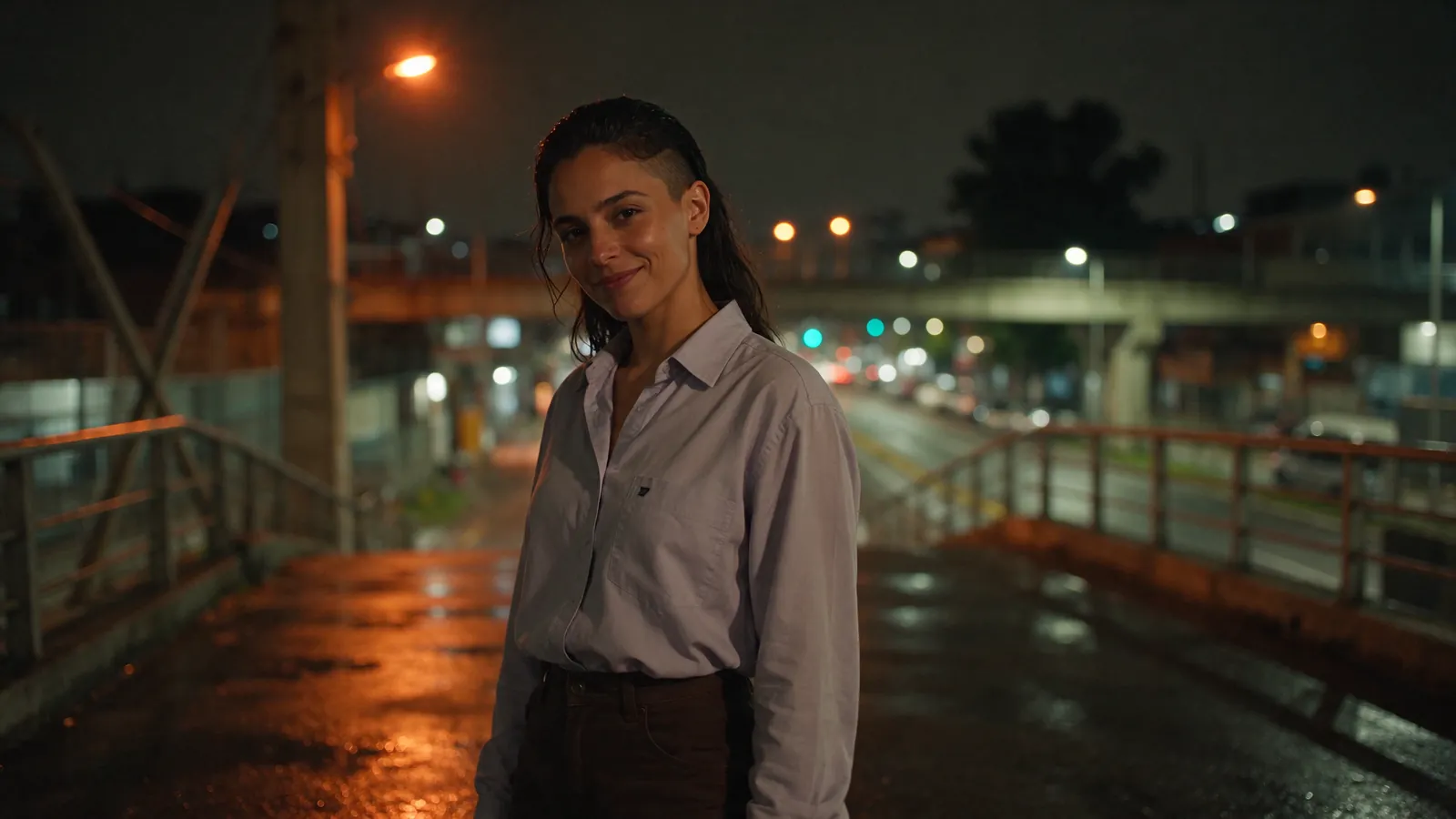
Seedream 5.5 at a glance
| Released | 9 November 2026, by ByteDance Seed |
|---|---|
| Where to use it | Rolling out in ByteDance’s own apps: Doubao and Jimeng in China, and Dreamina and CapCut according to press reports. |
| API | On kie, with text to image, image editing and layer decomposition. Not yet on Replicate when we checked on 11 November 2026. |
| API price | On kie, $0.018 per image at 1K or 1.5K and $0.0315 at 2K (11 November 2026). |
| Speed in our tests | 18 to 31 seconds per image at 1.5K |
| In Saybrush | In the editor on this page: 2 credits per edit, 2K output (1.5K on free credits). |
| Pro version | Announced by ByteDance, not released |
Our tests
We tested Seedream 5.5: photo edits and text prompts
We ran Seedream 5.5 through kie’s API on 11 November 2026, at 1.5K with PNG output. Each photo below was edited in a row, every result going back in as the next input. Every edit prompt also asked it to keep the same person, face and art style.
Only what you ask for changes
The street, the lamplight and her face stay put while first the outfit, then the hair change.
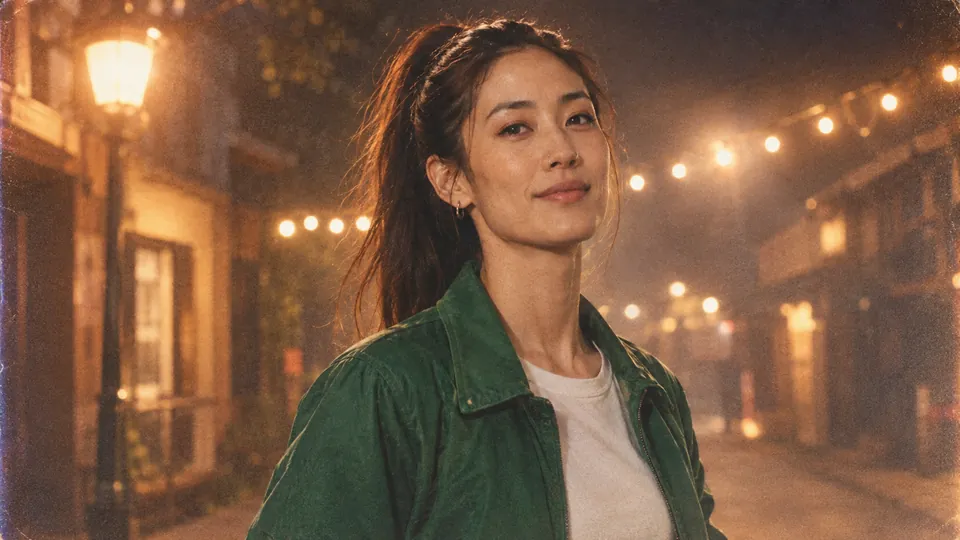 Original
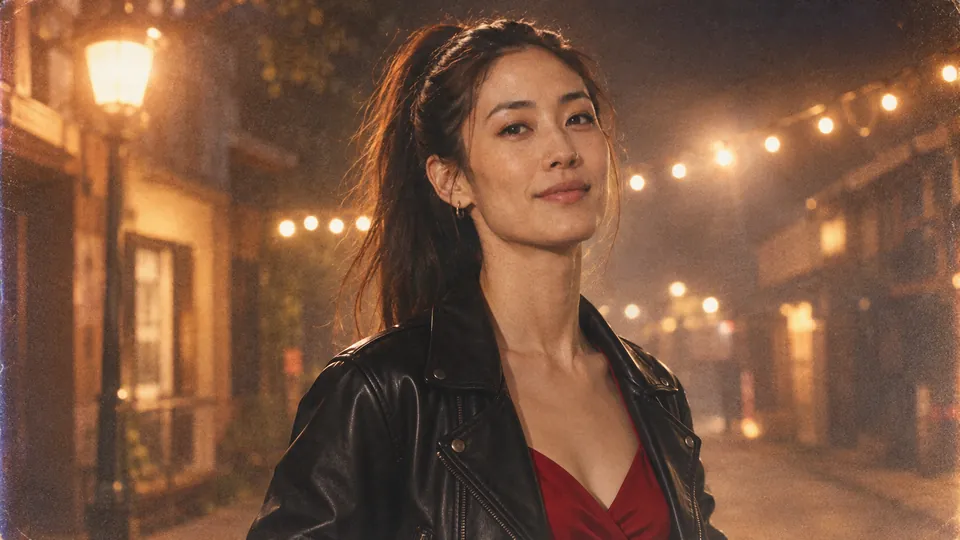 Edit 1
Change her outfit to a black leather biker jacket over a red slip dress.
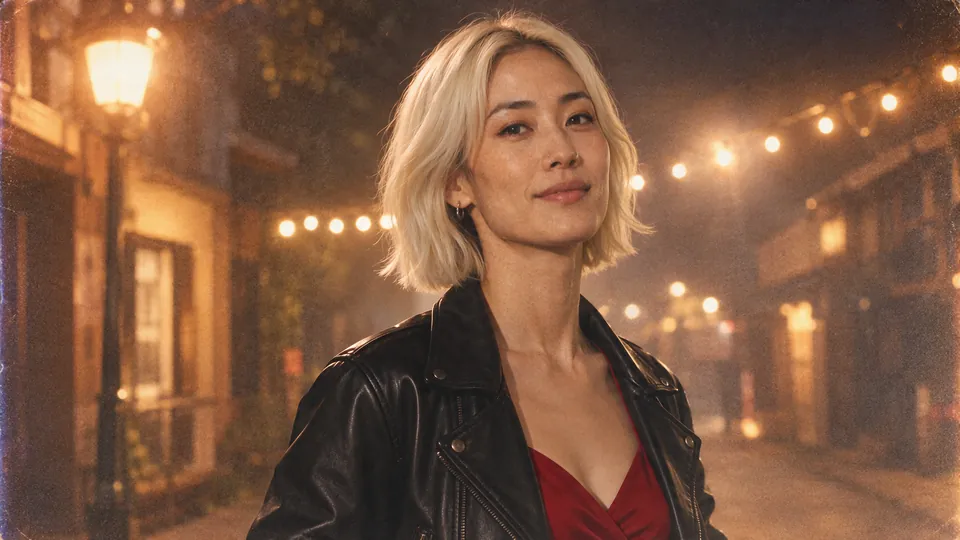 Edit 2
Change her hair to a short platinum blonde bob.
The same face, from a carnival to a studio
Three edits in: a new suit, glasses and a chain, then a new place and pose. His braids and face carry through.
 Original
 Edit 1
Dress him in a navy tailored suit with an open-collar white shirt.
 Edit 2
Add round tortoiseshell glasses and a thin gold chain.
 Edit 3
Move him into a neon-lit recording studio, singing into a microphone, side angle.
3D style kept through new poses and scenes
A new jacket, then a new pose with a guitar, then a snowy night. The character and the 3D look stay the same.
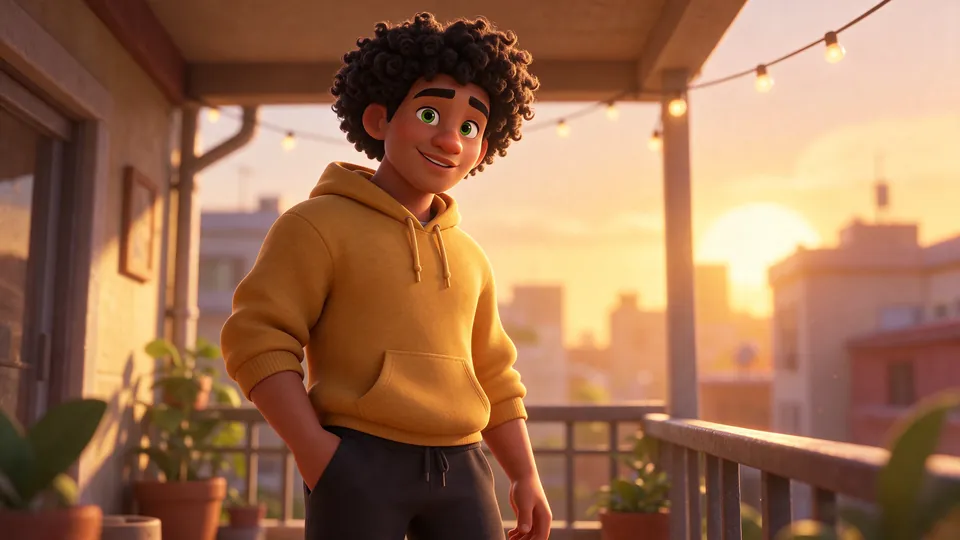 Original
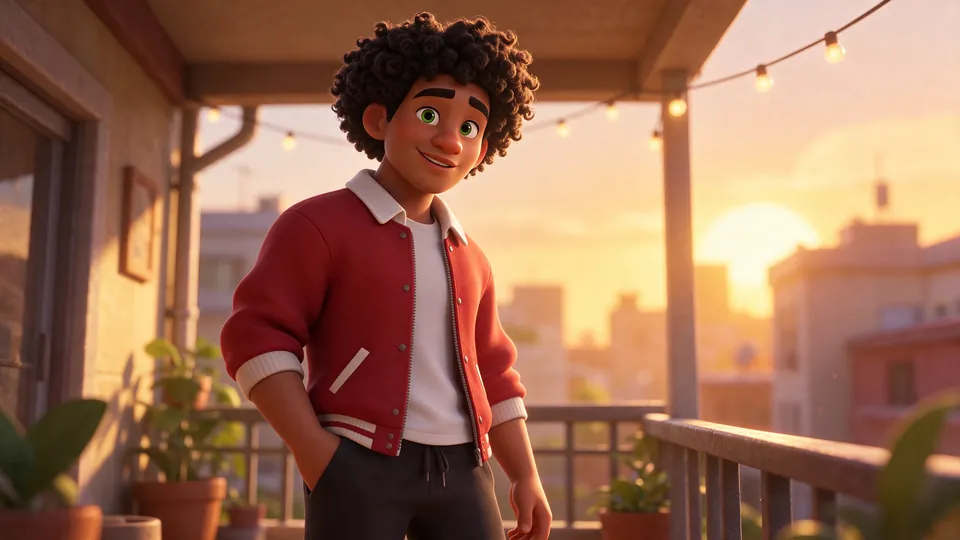 Edit 1
Change his hoodie to a red varsity jacket over a white t-shirt.
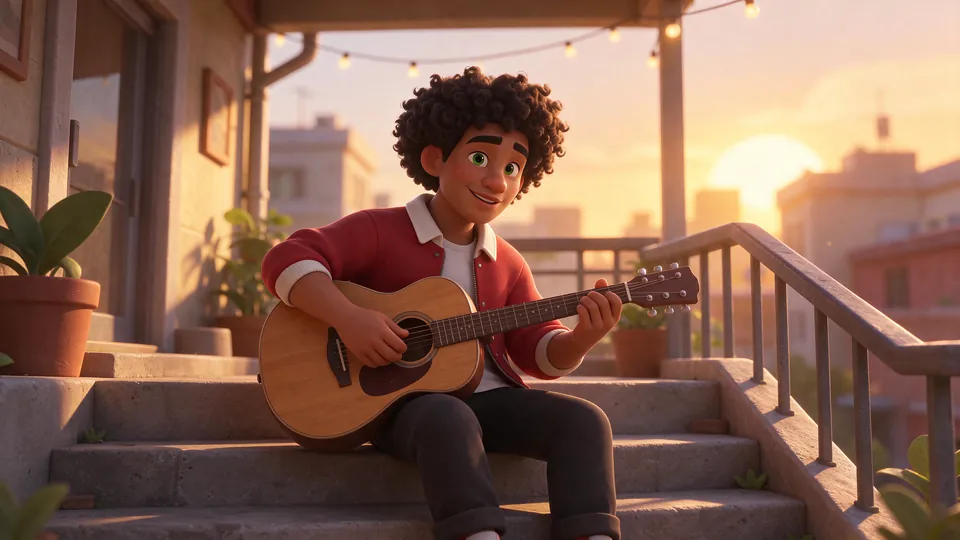 Edit 2
He sits on concrete steps playing an acoustic guitar.
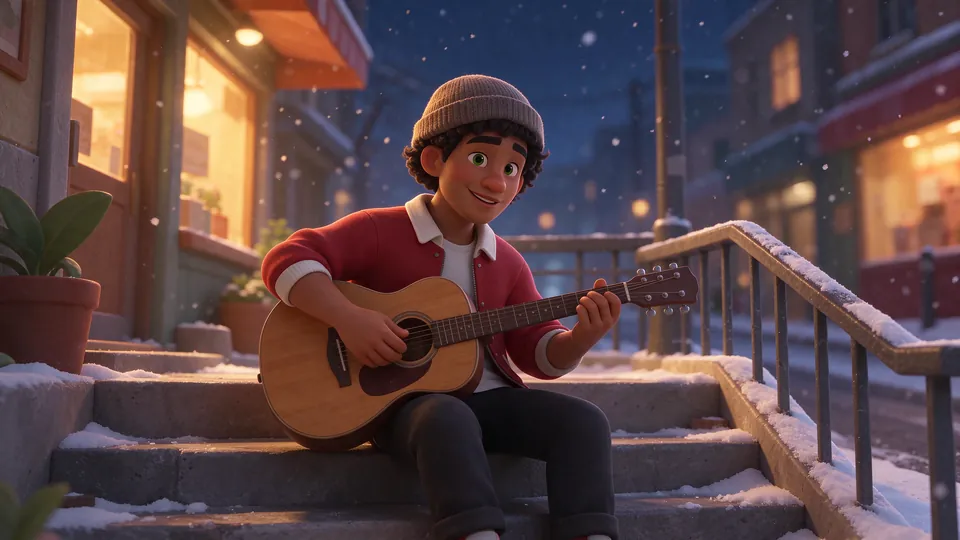 Edit 3
Change the scene to a snowy night street with warm shop lights; he wears a knitted beanie.
Anime, from a rainy street to the beach
A new dress and hat, a new hair colour with the braid kept, then a full-body dance on the beach.
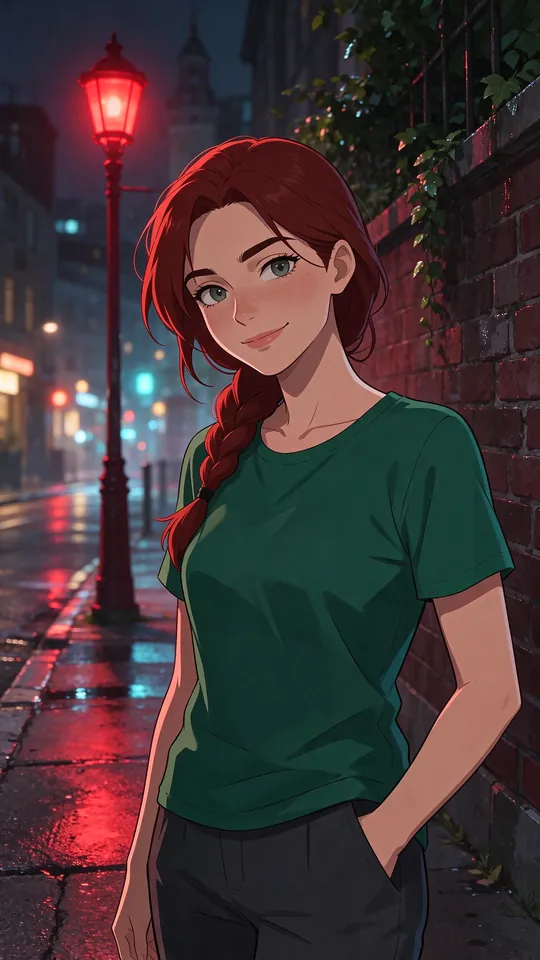 Original
 Edit 1
Change her outfit to a white summer dress and a straw hat.
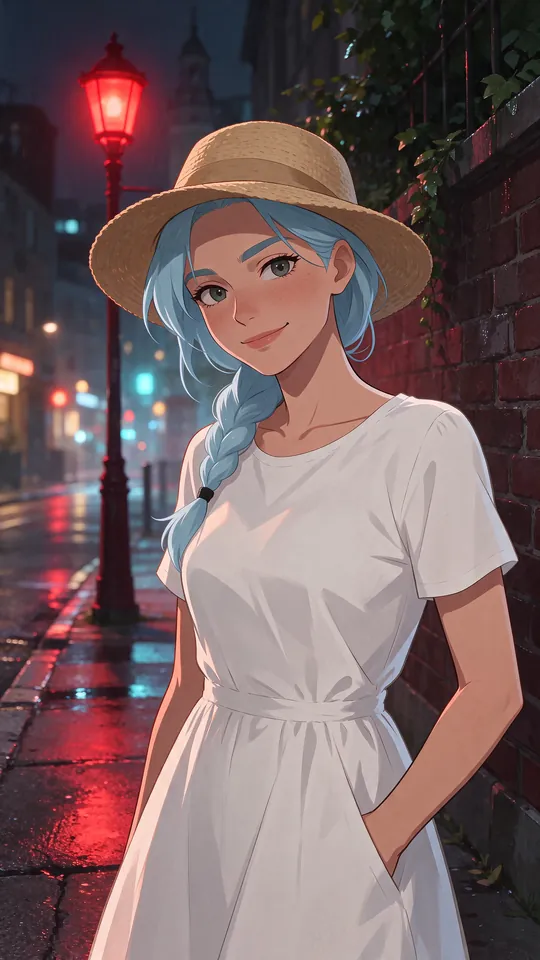 Edit 2
Change her hair colour to pastel blue, keep the braid.
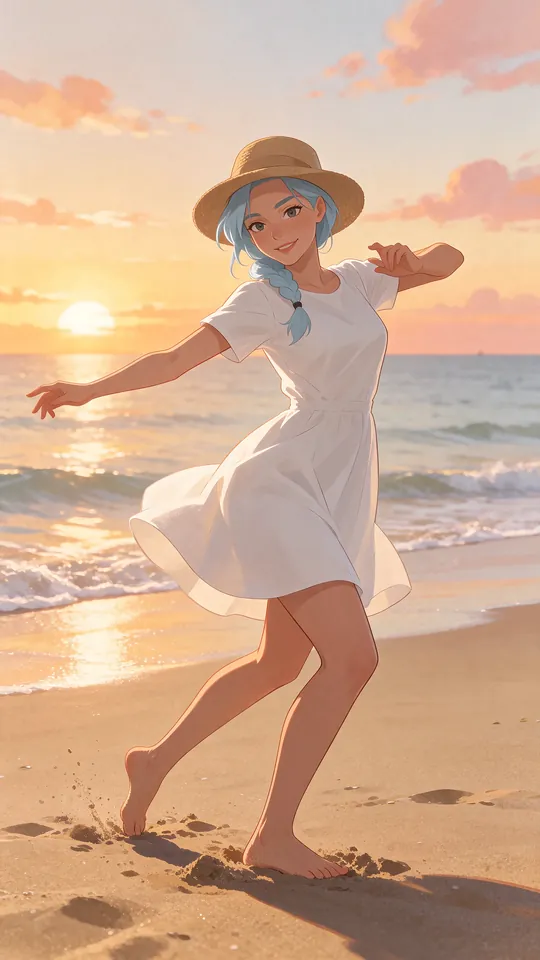 Edit 3
She is dancing barefoot on a beach at sunset, full body, dynamic pose.
From a text prompt
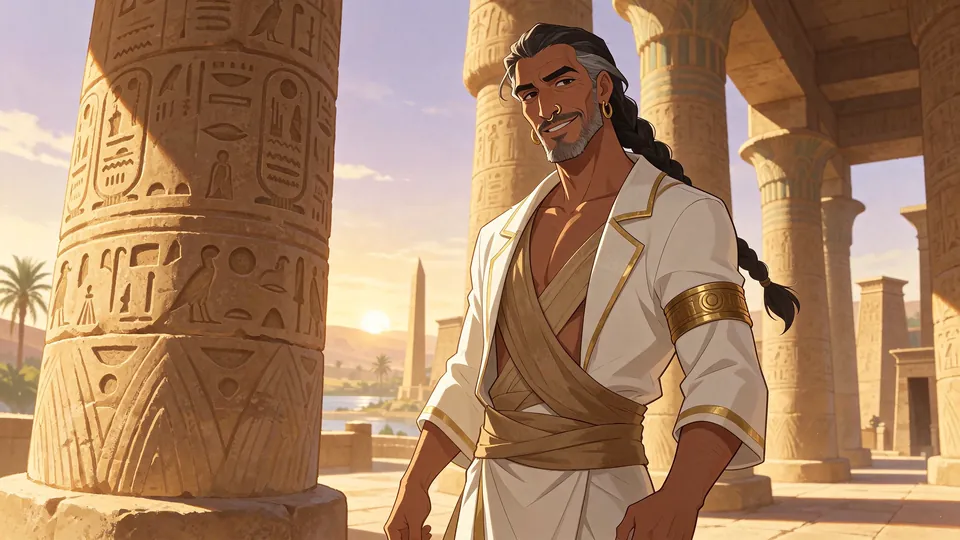
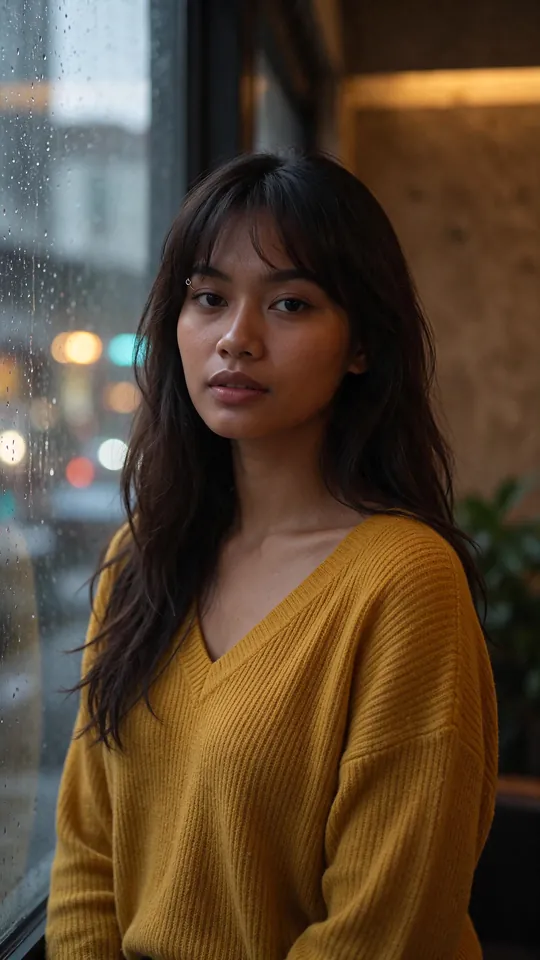
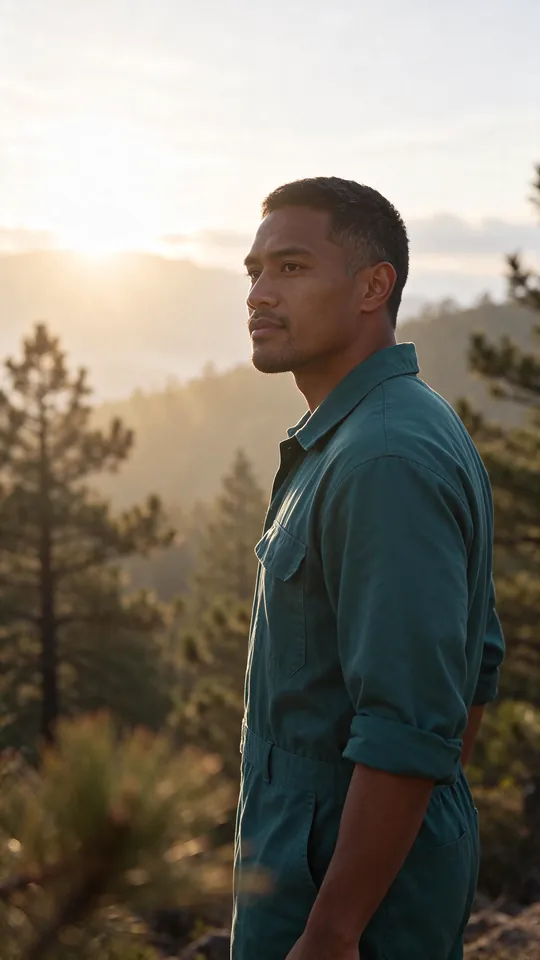
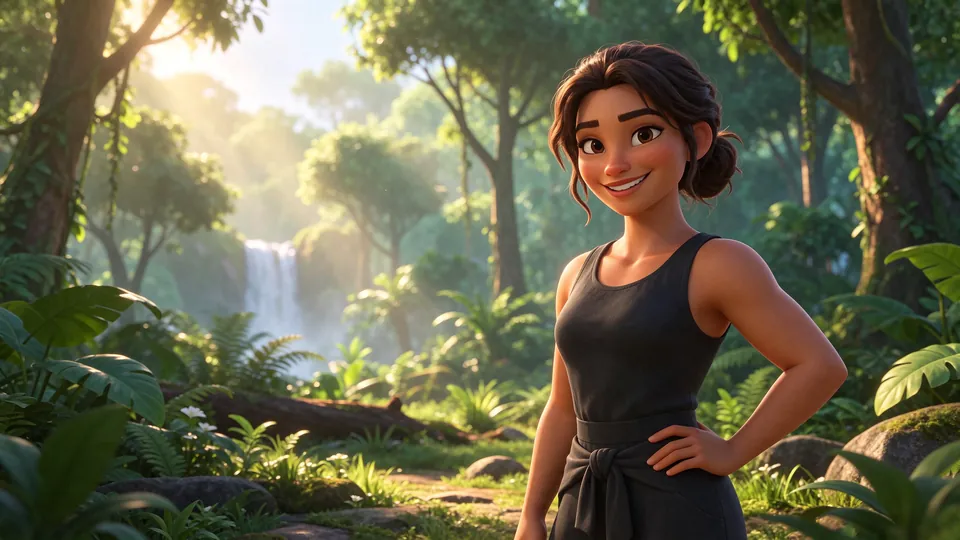
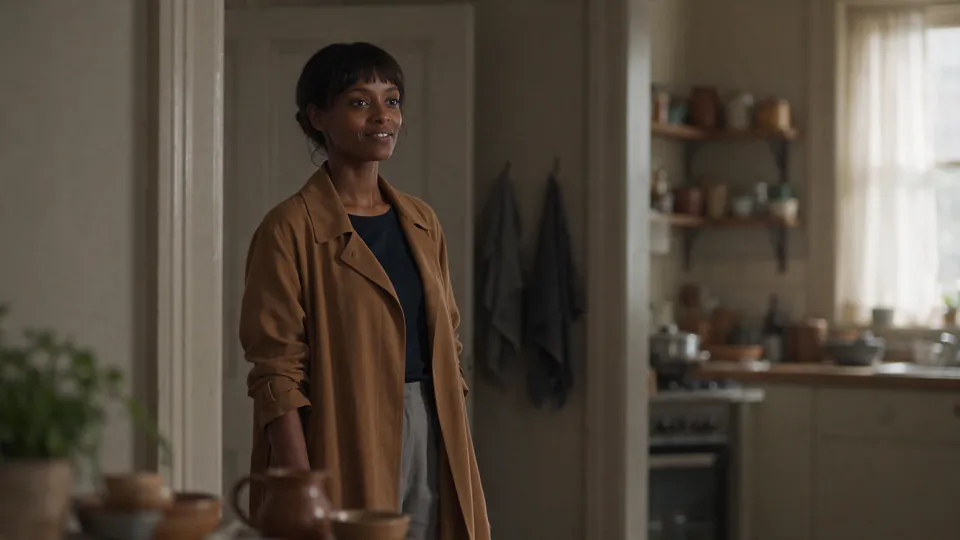
Eight of the 12 images we generated from text, in different styles. Each prompt describes one person in detail: face, hair, build and clothes.
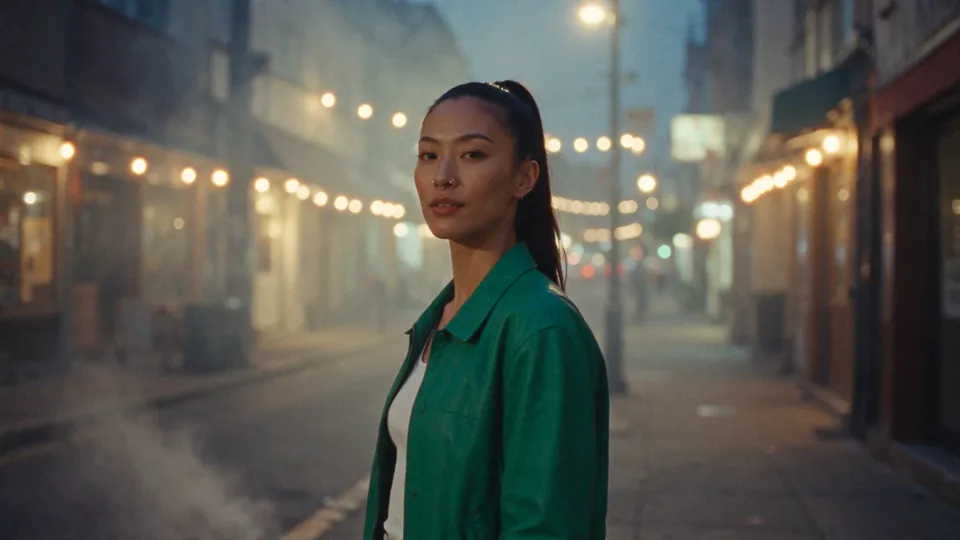


What we saw
- The rest stays put. In the outfit and hair edits, the background, light and framing stayed as they were.
- The same person. All four faces stayed recognisable after every edit, including new scenes and poses.
- The style holds. Anime stayed anime and 3D stayed 3D, even when the whole scene changed.
- Speed. 18 to 31 seconds per image at 1.5K, for both text prompts and edits.
Worth knowing
- Set the ratio. With the aspect ratio on auto, one scene change turned a landscape photo into a portrait one.
- Clothes in long prompts. In 2 of 12 text prompts it simplified the clothes: a jumpsuit came out as a tank top, a windbreaker as a long coat (the 3D and cinematic images above).
A small test: 4 photos edited up to three times and 12 text prompts, not ByteDance’s 100 rounds.
What’s new
What’s new in Seedream 5.5
What ByteDance says changed, from its launch post. We haven’t tested these claims beyond what our tests above show.
Edit the same image up to 100 times
ByteDance trained Seedream 5.5 to leave the parts you didn’t ask to change as they were, without the colour drift and loss of detail that build up when each result becomes the next input. In its demo, one portrait goes through 100 edits in a row, and small items like a ring or a glasses frame still sit naturally at the end.
Transparent backgrounds, straight from the model
ByteDance says Seedream 5.5 can output an image with an alpha channel, including half-transparent areas such as feathers, so a generated object is ready to drop into a layout with no background removal.
More realistic photos, clearer small text
ByteDance says skin, light and materials look more natural, with less of the glossy, overexposed AI look, and that small, dense text such as newspaper columns and infographic captions comes out cleaner.
Source: ByteDance Seed
Benchmarks
Seedream 5.5 benchmarks, from ByteDance
These are ByteDance’s own evaluations, scored by human raters on its MagicArena platform; our small tests above don’t measure the same thing. Each number is a GSB score: how much more often raters preferred Seedream 5.5 than the other model. Below zero, the other model was preferred.
| Text, editing | Text, generation | Realism, editing | Realism, generation | |
|---|---|---|---|---|
| vs Seedream 5.0 Pro | +18.54% | +5.00% | +55.62% | +39.44% |
| vs GPT Image 2.5 Sunburst | +20.72% | +16.01% | +36.05% | +37.29% |
| vs Nano Banana 2.1 | +3.82% | +5.23% | −6.18% | +21.79% |
Text errors: ByteDance reports severe text corruption in 0.4% of images and minor errors in 1.7%, in Chinese and English tests that include dense small text.
Source: ByteDance Seed
Our read
The biggest jump is realism when editing a photo, against Seedream 5.0 Pro. In that same category, ByteDance’s own chart shows Nano Banana 2.1 still preferred over Seedream 5.5. For photo editing, which is what most people do on Saybrush, that is the number to watch. GPT Image 2.6 isn’t in the comparison.
Compare
Seedream 5.5 vs GPT Image 2.6
| Seedream 5.5 | GPT Image 2.6 | |
|---|---|---|
| Maker | ByteDance | OpenAI |
| In Saybrush | 2 credits per edit | 4 credits per edit |
| Output sizes in Saybrush | 2K | One size |
How to use it
How to use Seedream 5.5
- 01
In Saybrush
Upload a photo at the top of this page and describe the change. 2 credits per edit, 2K output (1.5K on free credits); guests get 2 free credits (1 edit).
- 02
In ByteDance’s apps
ByteDance is rolling it out in its own apps, starting with Doubao and Jimeng in China. Press reports also name Dreamina and CapCut.
- 03
Through an API
kie has it, with text to image, image editing and layer decomposition. It wasn’t on Replicate yet when we checked on 11 November 2026.
FAQ
Seedream 5.5 questions
When was Seedream 5.5 released?
On 9 November 2026, by ByteDance’s Seed team.
Is Seedream 5.5 better than Seedream 5.0?
In ByteDance’s tests, raters preferred it in every category, most of all for realism when editing a photo (+55.62% GSB against Seedream 5.0 Pro).
Is Seedream 5.5 better than Nano Banana?
In ByteDance’s tests it leads Nano Banana 2.1 on text and on realism when generating from text, but Nano Banana 2.1 was still preferred for realism when editing a photo (−6.18% GSB).
Does Seedream 5.5 keep the same face when you edit?
In our tests, yes: four people stayed recognisable through up to three edits in a row, including new outfits, hair, scenes and poses.
How fast is Seedream 5.5?
In our tests through kie, 18 to 31 seconds per image at 1.5K, for both text prompts and edits.
Can Seedream 5.5 make transparent PNGs?
ByteDance says it outputs images with an alpha channel, including half-transparent areas. On kie, a transparent background comes with PNG output.
Is there a Seedream 5.5 API?
Yes, on kie: text to image, image editing and layer decomposition. It wasn’t on Replicate yet when we checked on 11 November 2026.
How much does Seedream 5.5 cost?
On kie, $0.018 per image at 1K or 1.5K and $0.0315 at 2K (11 November 2026). Editing also charges for each input image.
Is there a Seedream 5.5 Pro?
ByteDance says a Pro version will follow. It hasn’t been released.
Can I use Seedream 5.5 in Saybrush?
Yes. Seedream 5.5 is in the editor on this page and on the homepage: 2 credits per edit, 2K output (1.5K on free credits). Guests get 2 free credits (1 edit), no sign-up.
Edit a photo with Seedream 5.5
Upload a photo and describe the change in one sentence. Guests get 2 free credits (1 edit), no sign-up.
JPG, PNG or WebP