AI GIF generator: turn a photo or a sentence into a GIF
Saybrush is an AI GIF generator: add a photo or describe a scene, and Grok Imagine makes a 3-second clip that you download as a looping GIF or an MP4. The free credits cover your first GIF.
No photo handy? Try one of these
Examples
GIFs made with the AI GIF generator
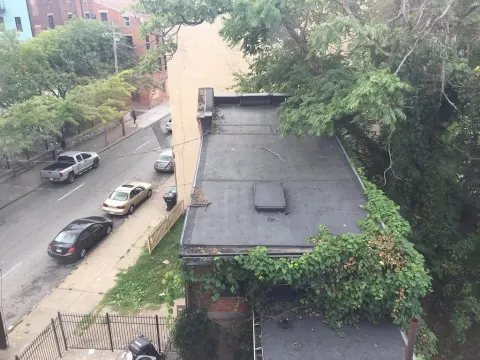
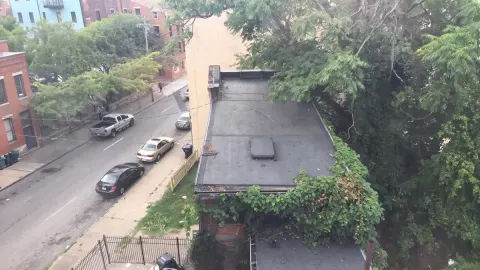
Real results, each from one run with the prompt shown. Nothing was edited afterwards.
Photo or text
Make a GIF from a photo or from text
From a photo
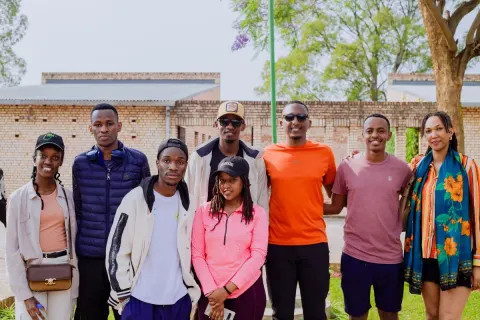
Upload a JPG, PNG or WebP and say what should move, or leave the prompt empty for gentle, natural motion. The GIF keeps the photo’s shape.
They wave at the camera and laugh.
A light breeze moves their hair and clothes.
From text
No photo needed: the AI GIF maker builds the scene from your words. Pick wide, square or tall.
A fluffy ginger cat on a sofa raises one paw and waves at the camera, soft daylight.
A golden retriever puppy tilts its head in a sunny garden.
Use cases
What people make with an AI GIF maker
Reaction GIFs
Turn your own selfie into a wave, a laugh or a slow blink to send in a group chat.
Group photos
Bring a team or family photo to life for an announcement or a birthday post.
Posts and banners
Describe a small looping scene, like steam over a mug or rain on a window, for a newsletter or a social post.
Old family photos
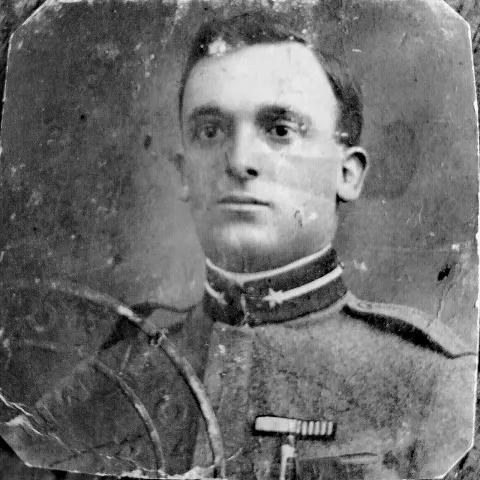
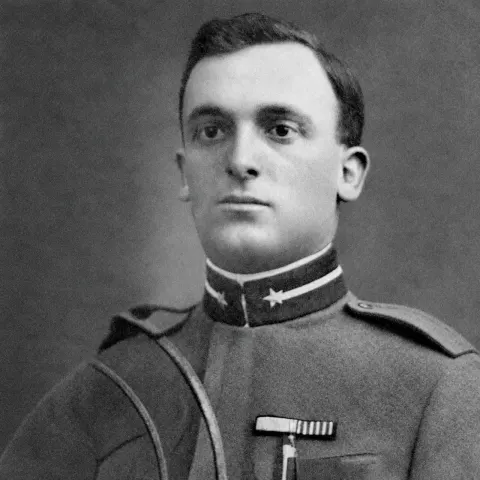
Add a smile or a blink to a portrait of a grandparent. Fix scratches and fading first, then animate the repaired photo.
Looping
Will the GIF loop smoothly?
The AI GIF maker films every clip with a fixed camera, so the last frame is framed like the first and the GIF doesn’t jump in or out when it restarts. Then pick a loop:
Normal
Plays through, then starts over. Smallest file; best for motion that ends where it began, like steam or a blink.
Ping-pong
Plays forward, then backward, so the end always flows into the start. Best for a wave or a nod.
Switching the loop rebuilds the GIF from the same clip and uses no credits.
Quick facts
AI GIF generator at a glance
| Model | Grok Imagine by xAI. |
|---|---|
| Input | A photo (JPG, PNG or WebP) with an optional prompt, or a prompt alone. Prompts can be up to 1,000 characters. |
| Length | 3 seconds. |
| Size | 480 px wide at 10 frames per second. With a photo, the GIF keeps its shape; from text, pick wide 16:9, square 1:1 or tall 9:16. |
| File size | About 2–4 MB for a normal loop; ping-pong is about twice that. |
| Downloads | An animated GIF that loops forever, and the MP4 clip it was made from. |
| Cost | 5 credits per GIF. If the model declines or a run fails, the credits come back. |
| Free use | 2 free credits without an account, 3 more when you sign in with Google: 5 in all, enough for one GIF. No watermark. |
| Your files | On the free plan, photos and clips are deleted after 14 days. On a paid plan they stay until you delete them. |
| Who makes it | Saybrush is an independent editor. It is not made by or affiliated with xAI. |
How it works
How do you use the AI GIF generator?
- 01
Add a photo or skip it
Drop, paste or pick a photo, or go straight to the prompt for a GIF from text.
- 02
Describe the motion
One short sentence about what moves, or tap a preset like Wave or Breeze, then click Make GIF.
- 03
Pick the loop and download
Choose Normal or Ping-pong, then download the GIF or the MP4.
Prompt tips
How to write a prompt for the AI GIF maker
One motion, not a story
Three seconds fits one action: “waves at the camera” works better than “walks in, sits down and waves”.
Small motion loops better
Blinks, smiles, steam and rain look natural on repeat; big moves read best with Ping-pong.
Say who moves
In a group photo, “the woman on the left laughs” keeps everyone else still.
For text, set the scene
Name the subject, the action, the place and the light.
Name what must stay
If something matters, add it: “keep the sign and the faces unchanged”.
Compare
AI GIF generator, GIF converter or video generator?
| Saybrush AI GIF generator | GIF converter | AI video generator | |
|---|---|---|---|
| You start with | A photo or a sentence | A video you already have | A photo or a sentence |
| You get | A looping GIF and the MP4 | A GIF of your video | An MP4 video |
| Steps to a GIF | One | One, once you have the video | Two: make the video, then convert it |
| Best for | Short reactions and living photos | Clips from your own footage | Longer clips with sound |
FAQ
AI GIF generator questions
Is this AI GIF maker free?
Your first GIF is free: Saybrush gives 2 credits without an account and 3 more when you sign in with Google, and a GIF uses 5. After that, credits come from a pack or a plan. There’s no watermark.
Can the AI GIF generator make a GIF from an image?
Yes. Upload a picture, describe the motion or pick a preset, and you get a 3-second GIF in your photo’s shape.
Can I make a GIF from text only?
Yes. Skip the photo and describe a short scene. The cat and coffee examples above were made from text alone.
Will it change the faces in my photo?
With no prompt, Saybrush asks for subtle motion that keeps every face and detail as it is. Small motion like a blink or a smile changes a face the least; with bigger moves, check the GIF before you share it, and add “keep the faces unchanged” to the prompt if needed.
Can I animate an old family photo?
Yes. Repair a scratched or faded print first, then upload the restored photo and ask for a blink or a smile.
How long is the GIF, and how big is the file?
3 seconds at 480 px wide and 10 frames per second, usually 2–4 MB. Ping-pong plays the clip forward and back, so it lasts about twice as long and the file is about twice as big.
Can I download an MP4 instead?
Yes. Every result has both: the GIF and the smaller MP4 clip it was made from.
What isn’t allowed?
Prompts and photos are checked by automated moderation before the clip is made. Sexual content, violence, hate, deepfakes of real people and photos of public figures are refused under the Content Policy, and the credits come back. Only upload photos of yourself or of people who agreed.
Is Saybrush made by xAI?
No. Saybrush is an independent AI GIF maker that runs xAI’s Grok Imagine through an API. You don’t need a Grok or X account.
Related tools
Make your first AI GIF
Three seconds of motion from the AI GIF generator, in a GIF that loops.
Or scroll up and describe a scene to make a GIF from text.