GPT Image 2.6 photo editor: change a photo with one sentence
Saybrush is a GPT Image 2.6 photo editor: upload a photo, write the change in one sentence, and pick Flare or Sunburst. No API key or ChatGPT plan needed.
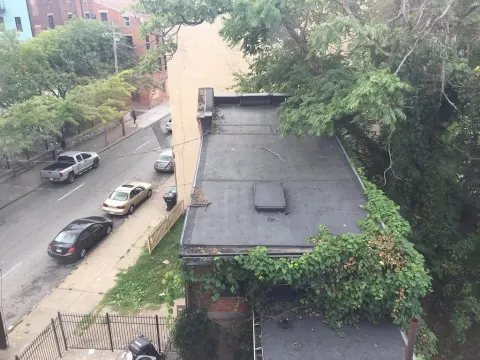
No photo handy? Try one of these
Examples
GPT Image 2.6 edits, one sentence each
Real results from GPT Image 2.6 Flare on public-domain photos, with the exact sentence we typed. Nothing was retouched afterwards. Hover or tap to see the original.
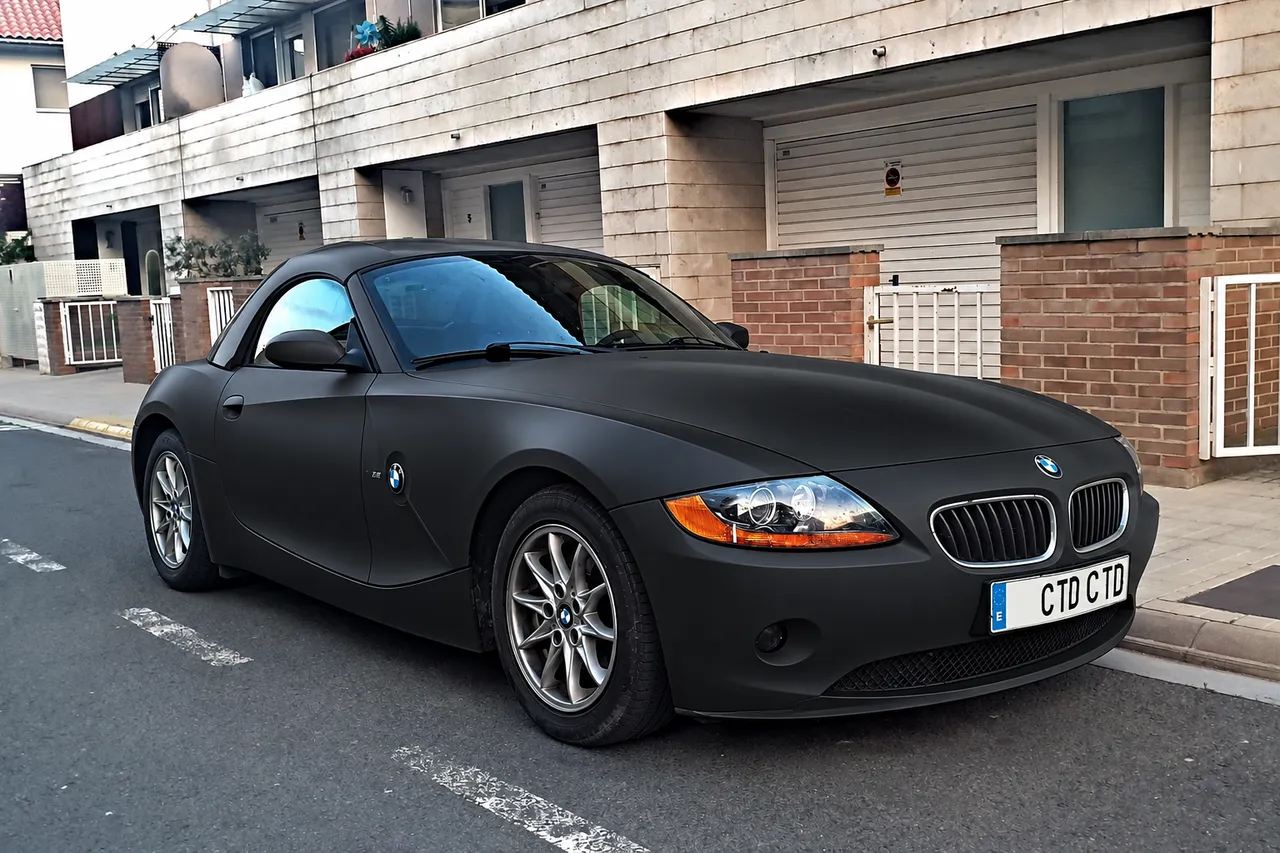
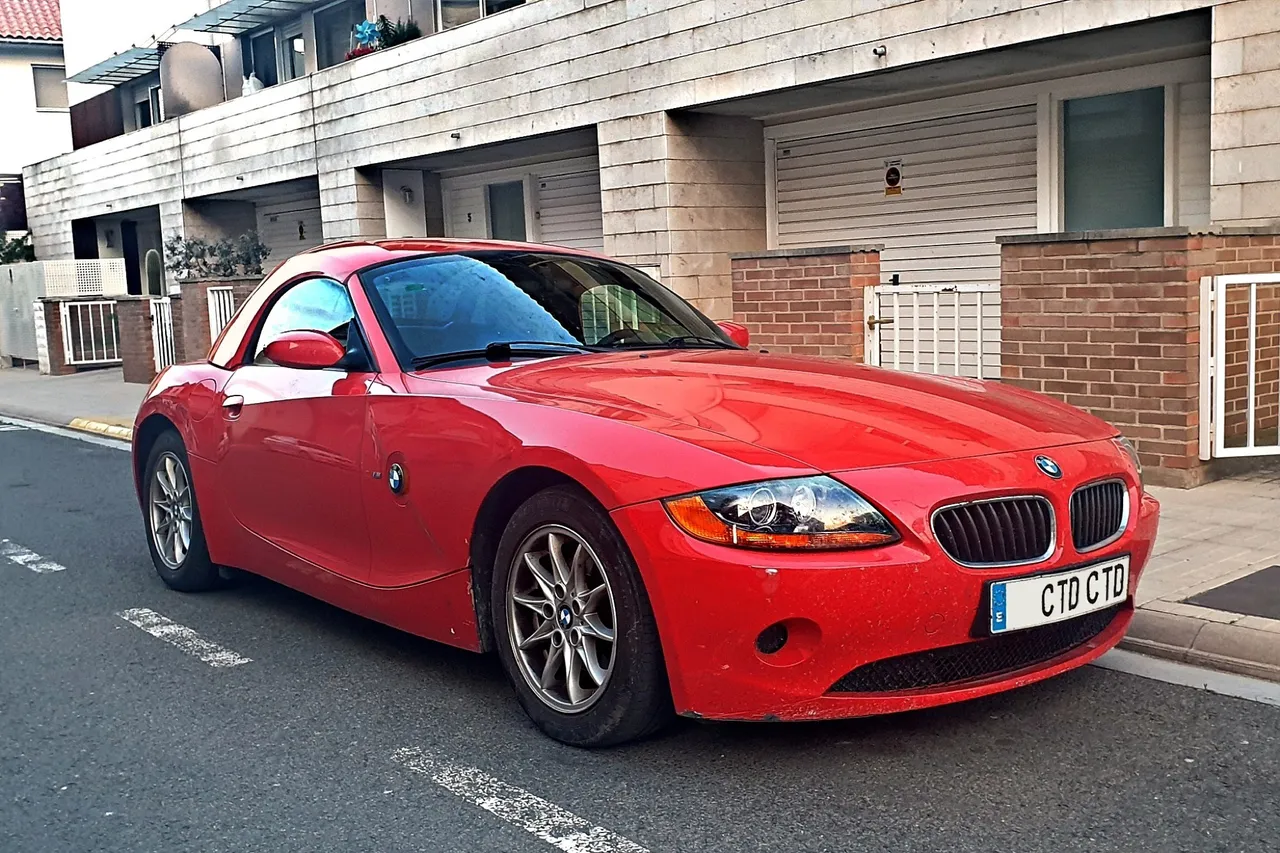
Recolor Change the car’s paint to matte black
1536 × 1024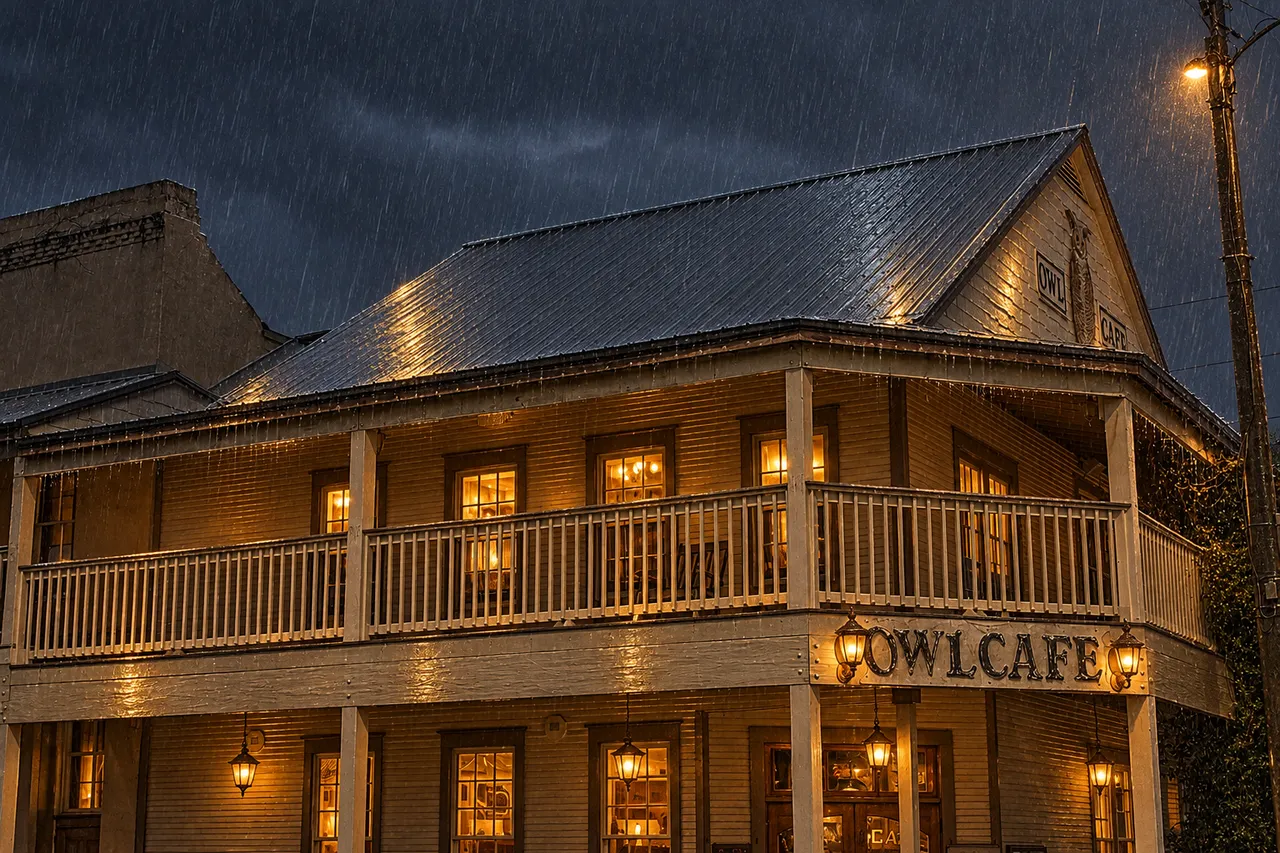
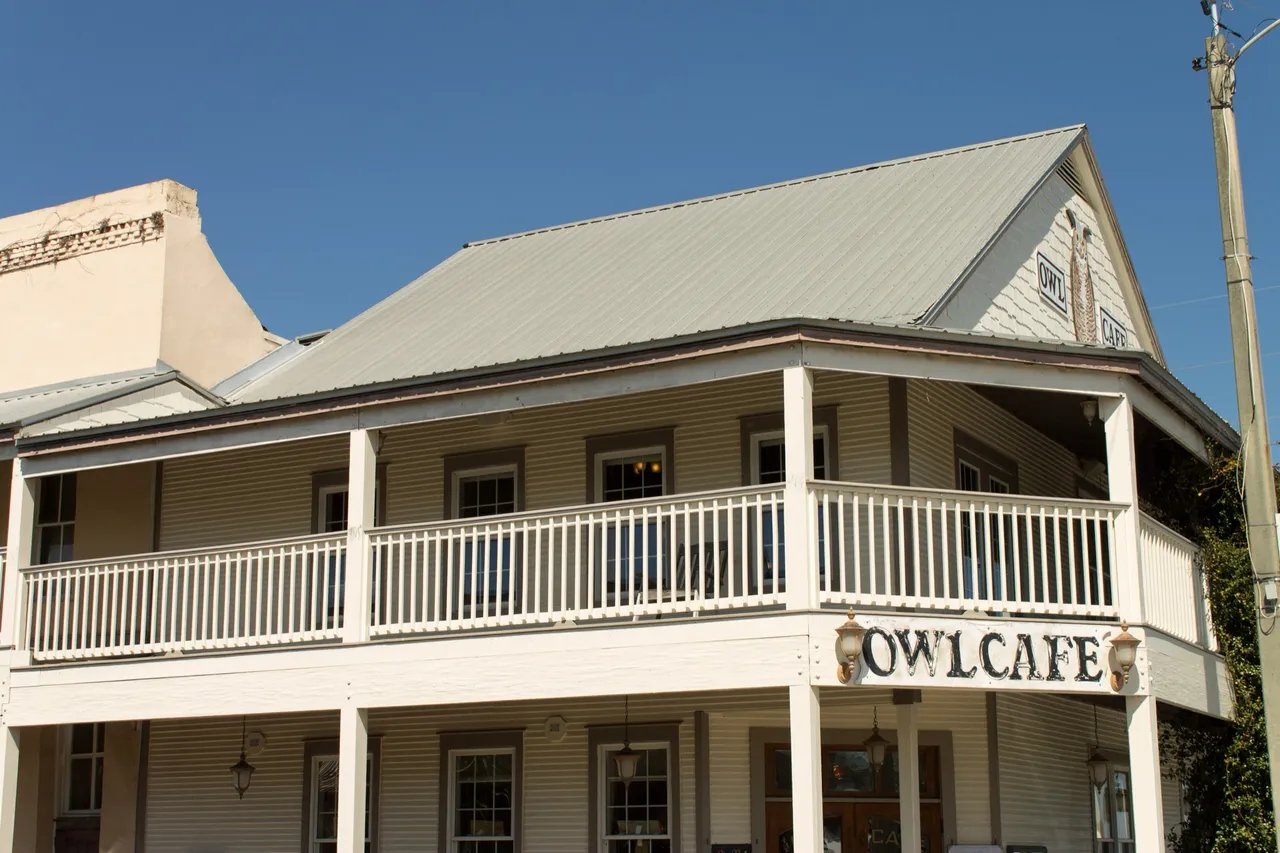
Relight Make it a rainy evening with warm light glowing in the windows
1536 × 1024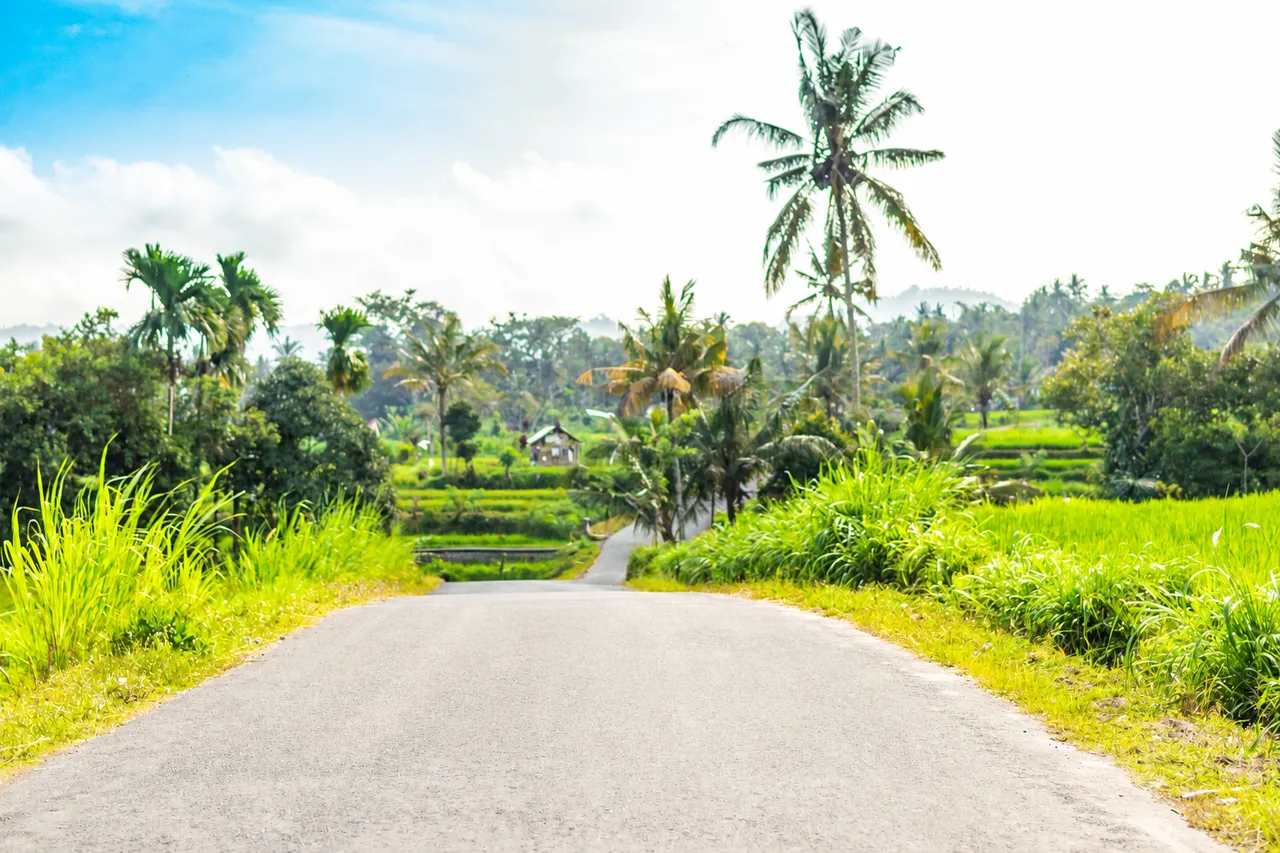
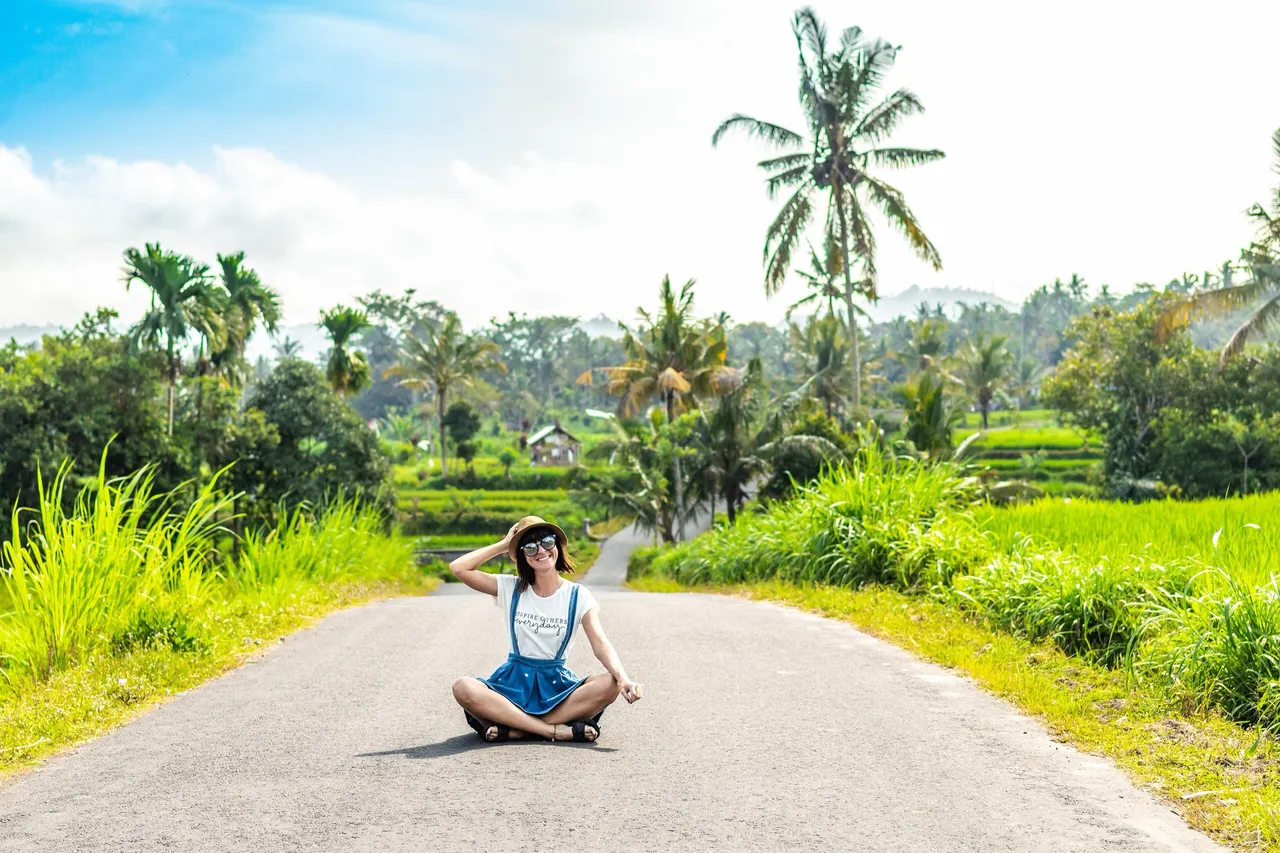
Remove Remove the woman sitting on the road
1536 × 1024
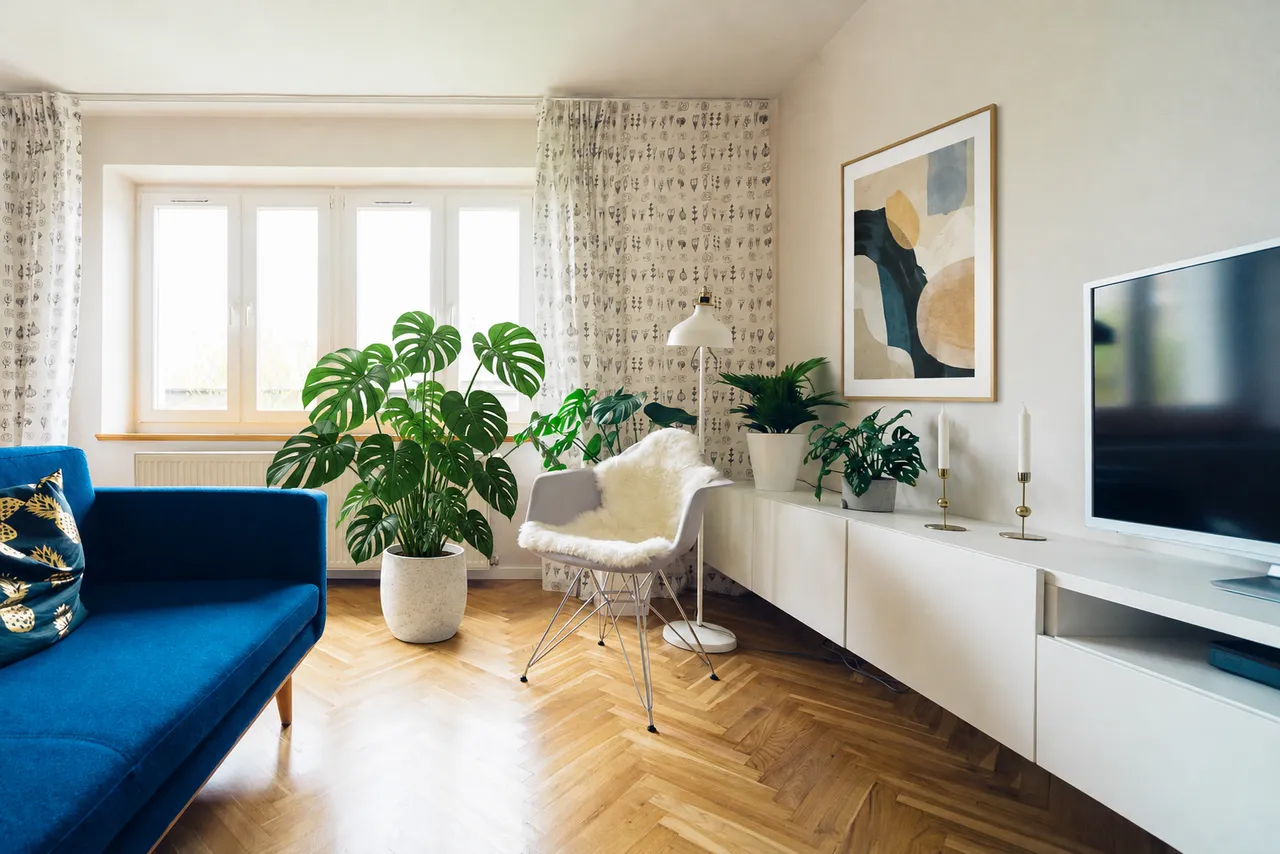
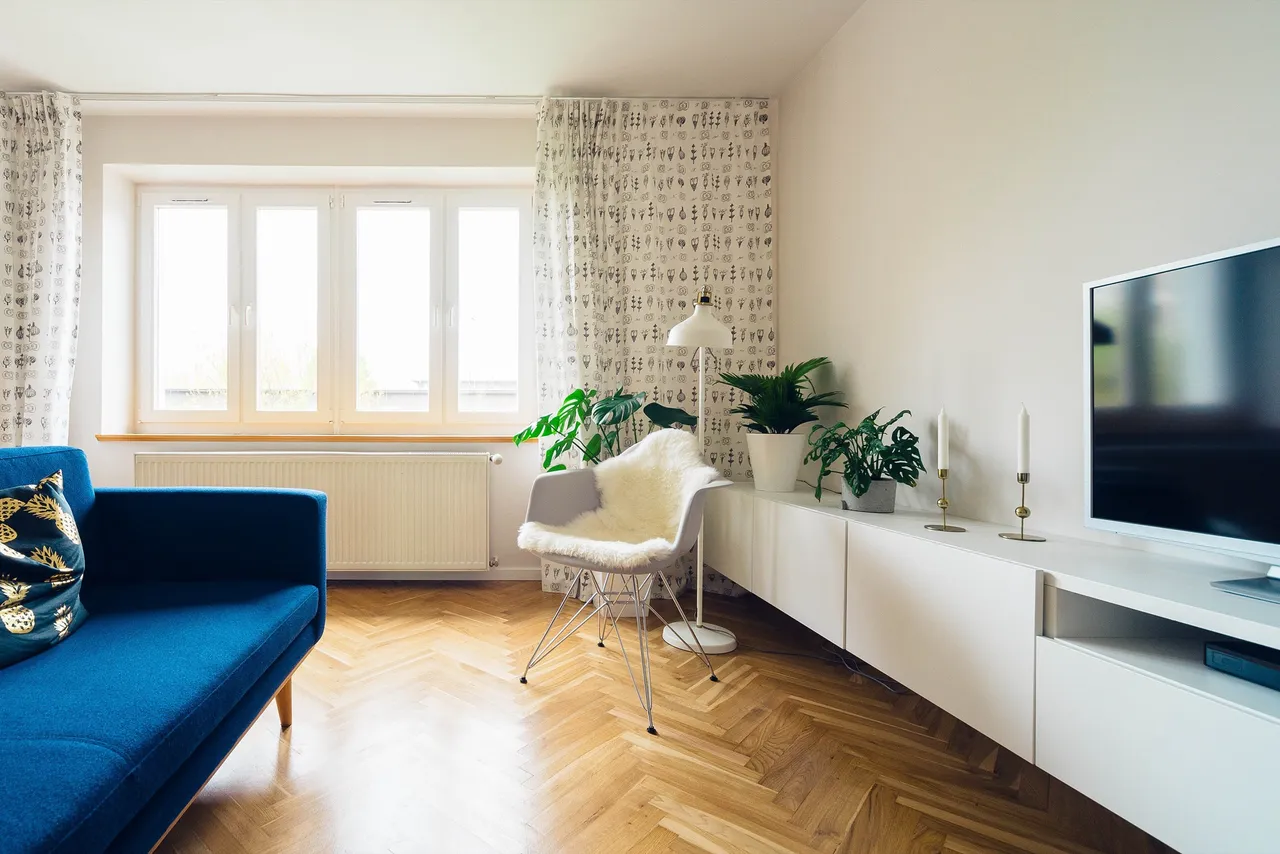
Add Add a large potted monstera next to the sofa and a framed abstract print on the wall
1535 × 1024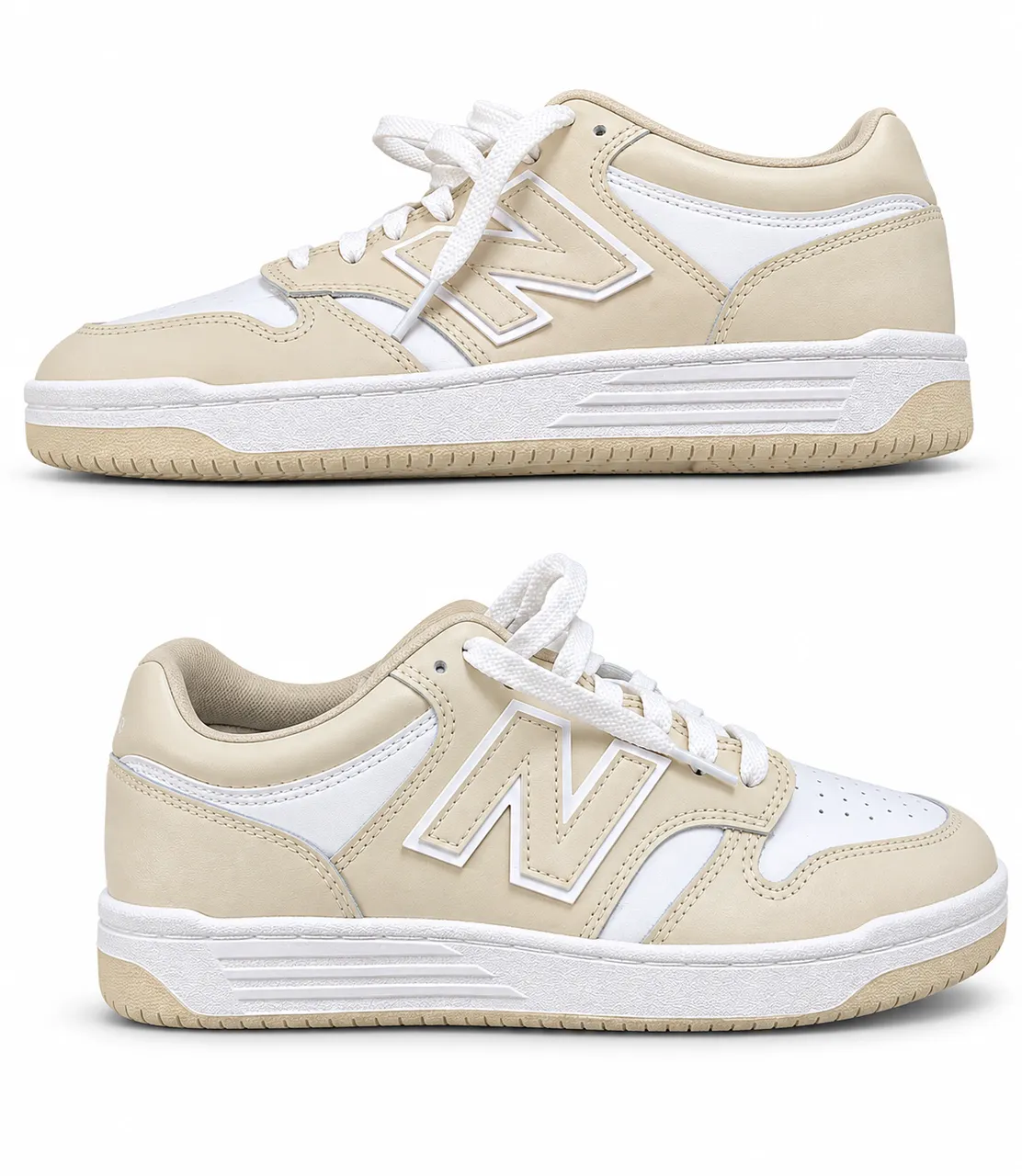
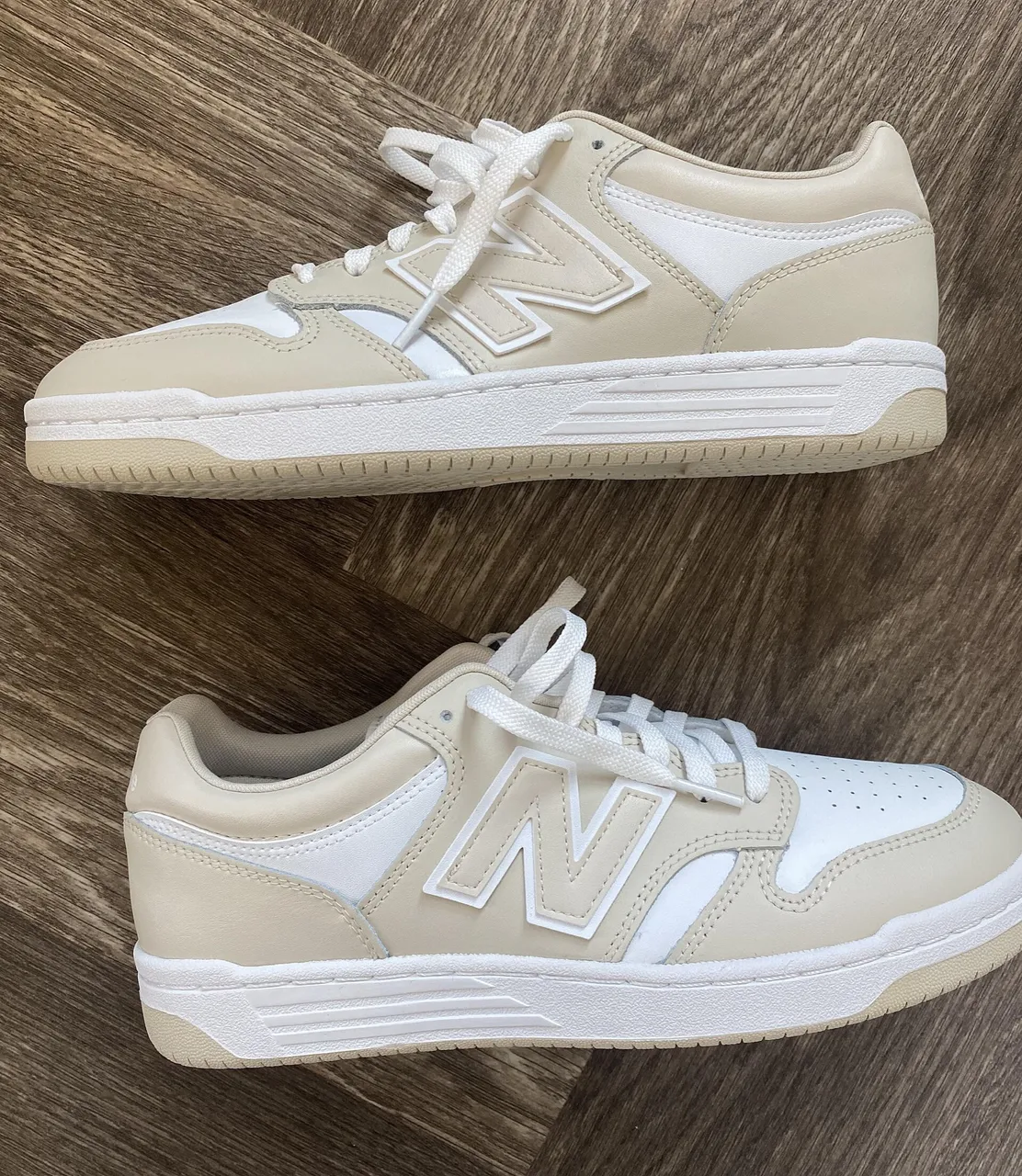
New background Put the sneakers on a clean white studio background with a soft shadow
1169 × 1346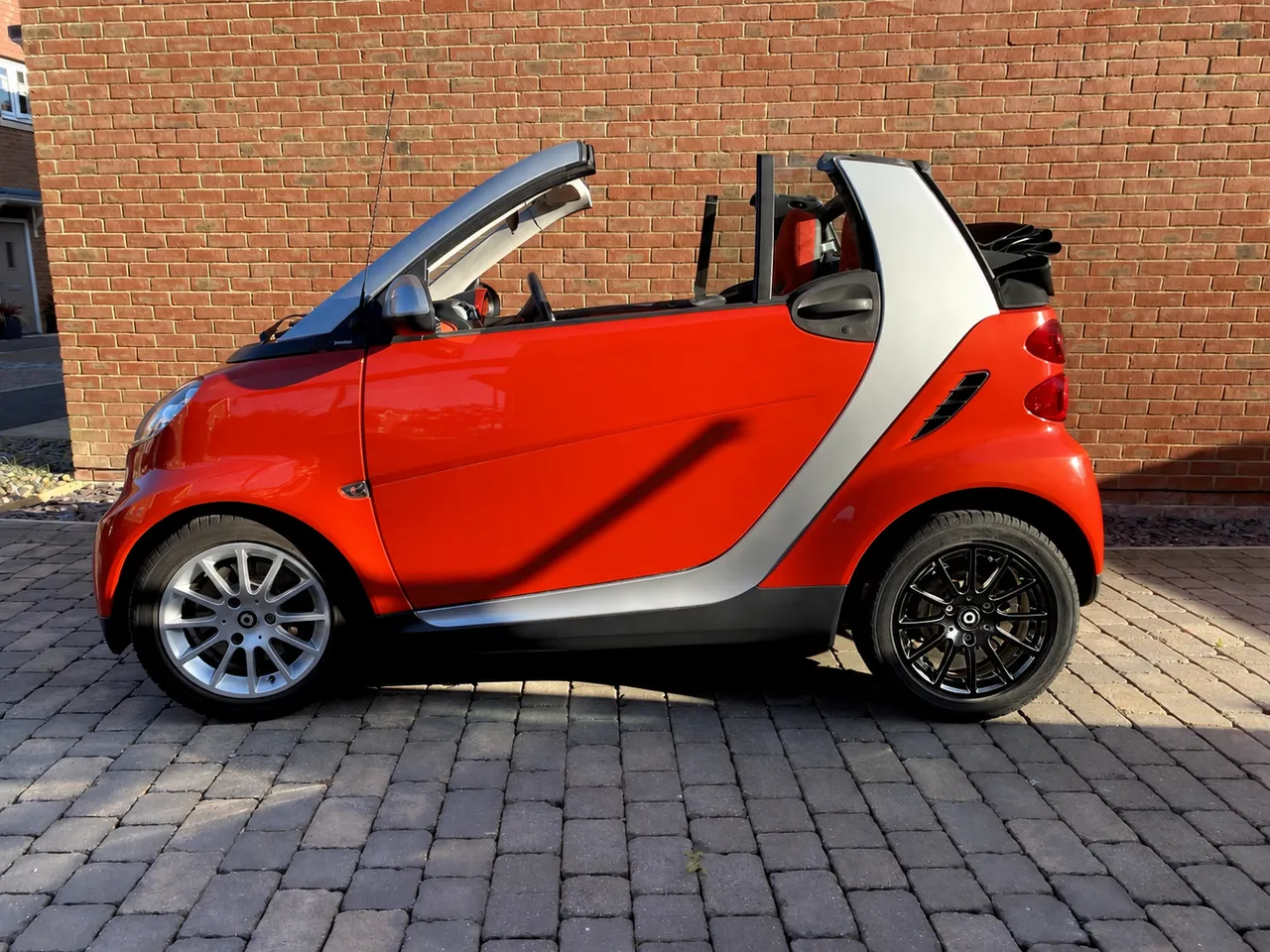
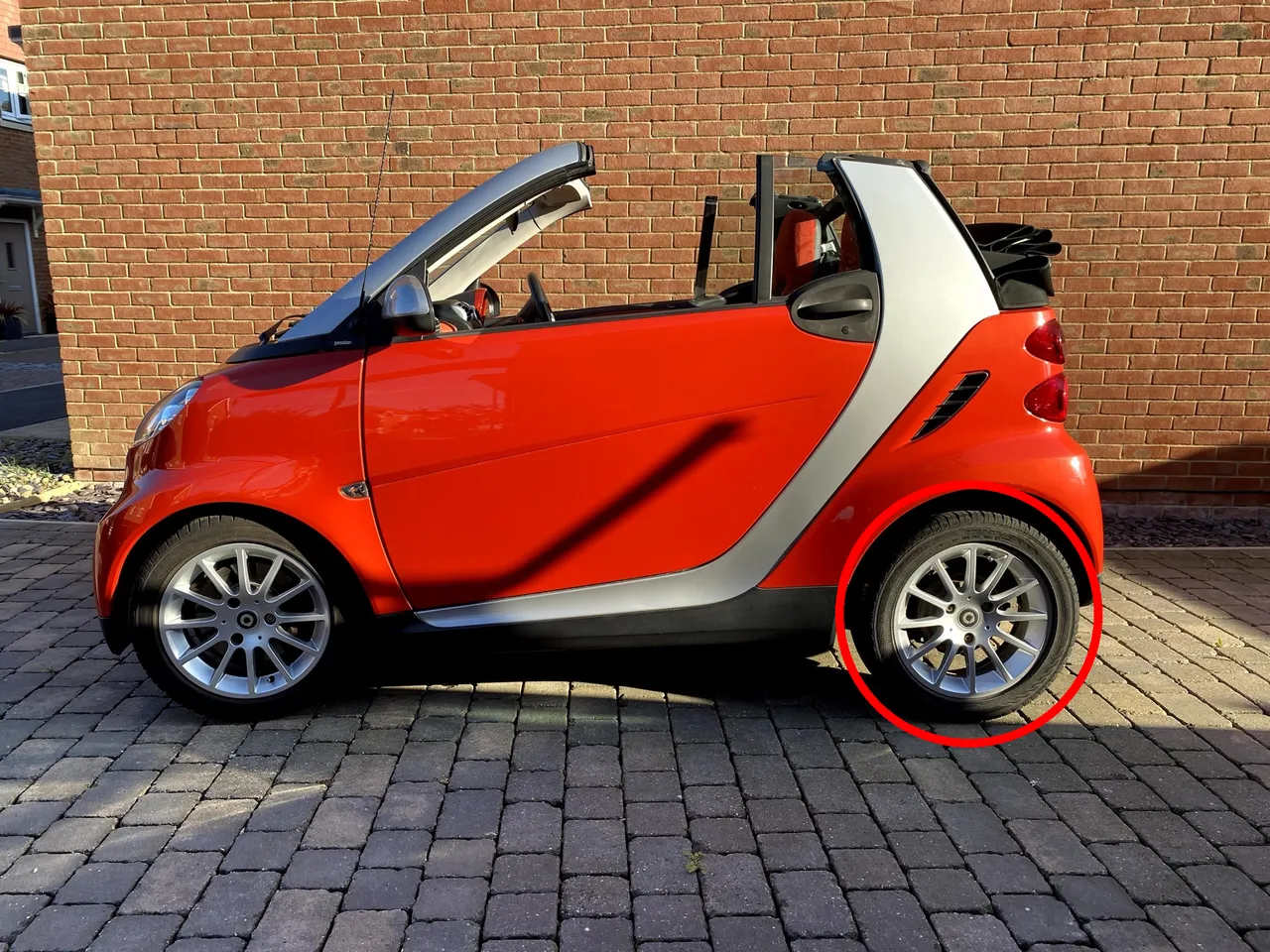
Circle an area Make the wheel inside the red circle glossy black
1448 × 1086
Flare or Sunburst
GPT Image 2.6 Flare vs Sunburst: which one to pick
OpenAI released GPT Image 2.6 as two models: Flare for fast iteration and Sunburst for detailed visual work. Both are in the editor at the same price, next to GPT Image 2.5.
| GPT Image 2.6 Flare | GPT Image 2.6 Sunburst | GPT Image 2.5 | |
|---|---|---|---|
| Credits per edit | 2 | 2 | 1 |
| Time in our tests | 12–16 s per edit (9 edits) | About 40 s per edit (2 edits) | 55–130 s per edit (11 edits) |
| Pick it when | You want to try several sentences quickly and keep the best result | You want OpenAI’s model for detailed work and can wait a little longer | You want the lowest credit cost per edit |
Times are model time from our 2026-11-05 tests; the safety check and saving add a few seconds.
Use cases
What people edit with GPT Image 2.6
Product photos
Move a product off the kitchen table onto a clean studio background for a shop listing.
“Put the sneakers on a white background with a soft shadow.”
Rooms and listings
Show what a room could look like before you buy anything.
“Add a large plant next to the sofa.”
Travel photos
Take strangers out of a shot you can’t retake.
“Remove the people behind her.”
Cars and objects
Try a color before you paint, wrap or buy.
“Change the car’s paint to matte black.”
Quick facts
GPT Image 2.6 on Saybrush: the facts
| What it is | An online photo editor that runs OpenAI’s GPT Image 2.6 (the model behind ChatGPT Images 2.6) on photos you upload. |
|---|---|
| What it takes | A photo: JPG, PNG or WebP up to 20 MB. |
| How you use it | Type the change in one sentence, pick Flare or Sunburst, and compare before and after. |
| Models | GPT Image 2.6 Flare and Sunburst (2 credits each), GPT Image 2.5 (1 credit), and other models in the same picker. |
| Output | A PNG in the same aspect ratio as your photo, about 1.5 megapixels. |
| Free use | 2 credits without an account, enough for one GPT Image 2.6 edit, and 3 more when you sign in with Google. No watermark. Free downloads are 768 px on the long side; paid plans download the full size. |
| Your photos | Free photos and results are deleted after 14 days. On a paid plan they stay until you delete them. |
| Who makes it | Saybrush is an independent editor. It is not made by or affiliated with OpenAI. |
How it works
How do you edit a photo with GPT Image 2.6?
- 01
Upload a photo
Drop, paste or pick a JPG, PNG or WebP.
- 02
Describe one change
Write it the way you’d brief a retoucher: “remove the people on the left”.
- 03
Pick Flare or Sunburst and compare
To point at one spot, circle it first. Slide between before and after, try another sentence if needed, then download.
Prompt tips
How to write a GPT Image 2.6 prompt for photo edits
One change per sentence
“Change the car’s paint to matte black” works better than a list of five edits. Run the next change on the result.
Name the spot
“The rear wheel”, “the wall above the sofa”, “the woman sitting on the road” tell the model exactly where to work.
Say what replaces what you remove
For a busy spot, add “fill it with the road” or “with grass” so the gap is filled the way you want.
For light, give the time and the source
“A rainy evening with warm light in the windows” beats “make it moody”.
Name what must stay
If something matters, say it: “keep the logo and the text unchanged”.
FAQ
GPT Image 2.6 questions
What is GPT Image 2.6?
OpenAI’s image model released on November 4, 2026, as two versions: Flare for fast iteration and Sunburst for detailed visual work. In ChatGPT it appears as ChatGPT Images 2.6. On Saybrush you use it to edit your own photos.
Can I use GPT Image 2.6 for free?
Yes. Saybrush gives 2 free credits without an account, which covers one GPT Image 2.6 edit, and 3 more when you sign in with Google. Results have no watermark.
Do I need an OpenAI API key or ChatGPT Plus?
No. Saybrush runs the model for you; you only need a browser.
Flare or Sunburst: which should I use?
Start with Flare: it returned edits in 12–16 seconds in our tests, so you can try several sentences. Switch to Sunburst for detailed work when you can wait about 40 seconds. Both cost 2 credits.
How is GPT Image 2.6 different from GPT Image 2.5?
2.6 adds markup edits, GIF output in OpenAI’s API, and a complexity setting. On our test photos, 2.6 Flare returned edits in 12–16 seconds against 55–130 seconds for 2.5. 2.5 stays in the editor at 1 credit.
Can I circle the part of the photo I want changed?
Yes. With GPT Image 2.6 Flare or Sunburst picked, tap Circle an area, draw around the part to change, then describe the change. The wheel example above was made this way. With other models, name the spot in your sentence, such as “the rear wheel”.
Will it change the size of my photo?
The result keeps your photo’s aspect ratio at about 1.5 megapixels, so a large photo comes back smaller.
Can GPT Image 2.6 make an image from text alone?
It can, but Saybrush only edits photos you upload. Start from a photo and describe the change.
What happens to my photos?
Each photo is checked by automated moderation and sent to OpenAI to make the edit, then kept as the facts above say. See the Privacy Policy for the details.
Is Saybrush made by OpenAI?
No. Saybrush is an independent photo editor that uses OpenAI’s models through the API. GPT Image is OpenAI’s name for its models.
More tools
Nothing to install.
Try GPT Image 2.6 on your own photo
One sentence, one edit. Your first one is free.
Starts on GPT Image 2.6 Flare; switch to Sunburst in the model picker.